


Voice Access 17.1.987741882
Google LLC
November 22, 2026
50.7 MB
17.1.987741882
com.google.android.apps.accessibility.voiceaccess
RELATED APPS






SCREENSHOTS
DESCRIPTION
Mastering your phone with Voice Access APK
If you find it difficult to use a touch screen due to tremors, paralysis, or temporary injuries, Voice Access offers a practical solution. Developed by Google Commerce Ltd, this application allows you to control your Android device entirely through your voice. It acts as a bridge between your spoken words and the interface, enabling you to navigate menus, open apps, and edit text without needing to touch the screen. By utilizing the AccessibilityService API, the software intelligently identifies controls on your display and activates them based on your verbal instructions, creating a more inclusive mobile experience for everyone.
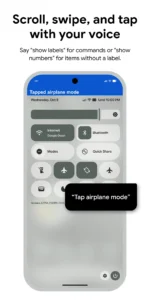
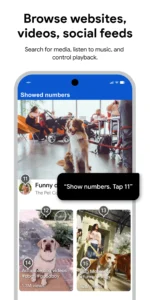
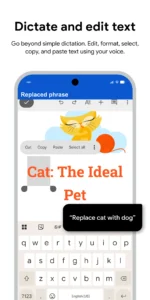
When you download the Voice Access APK, you gain access to a suite of commands designed for accessibility. You can perform basic navigation tasks such as saying “go home” or “go back” to move through your device menus. For screen management, commands like “scroll down” or “tap next” let you interact with active pages effectively. The app also excels at text editing, allowing you to dictate messages or replace specific words in a document with ease. You can say “Help” at any time to view a list of supported commands if you are unsure of how to proceed.
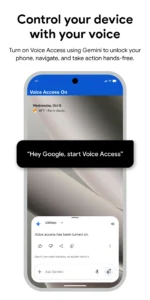
Getting started requires enabling the service within your system accessibility settings. The app requires several permissions to function, including permission to record audio for voice recognition, read your contacts to help with calling, and use the accessibility service to interact with your screen elements. Other permissions like Bluetooth connectivity, Wi-Fi state management, and wake lock ensure the service remains active and responsive throughout your session. You can start the service by tapping the blue button or using Google Assistant with the command “Hey Google, Voice Access.” To pause the service, simply say “stop listening” at any time.
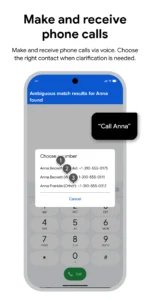
The latest version of Voice Access includes a visual refresh, featuring a dynamic feedback bar that resizes to keep your status bar visible. You will see a blue glow when you are speaking and a solid border during system responses. The app also introduces a helpful dialog box when you try to call contacts with similar-sounding names, ensuring you select the correct person every time. If you need to manage files while utilizing accessibility tools, you might find ZArchiver Pro Donate useful for your device, or if you prefer gaming, you could explore Minecraft Java: PojavLauncher.
The app includes a comprehensive tutorial that introduces the most common voice commands. This guide covers how to start the service, perform taps, scroll through long pages, and handle basic text editing. By following this guide, you can quickly become comfortable using your device hands-free. Since the software is designed for users with motor impairments, the commands are optimized to be simple, direct, and effective for everyday tasks.
Strengths:
- Provides full hands-free control of Android devices.
- Includes a built-in tutorial to help you learn common commands quickly.
- Dynamic visual feedback makes it clear when the app is listening.
- Simplifies interaction for users with motor impairments.
Limitations:
- Requires broad system permissions to function correctly.
- Needs active internet connectivity for optimal voice recognition.
- Requires manual setup in the Android Accessibility settings menu.
Frequently Asked Questions
Is Voice Access free to use?
Yes, Voice Access is provided by Google Commerce Ltd as a free application.
Does this app work offline?
The app relies on voice recognition, which typically requires an internet connection to process spoken commands accurately.
How do I stop the app?
You can pause the service by saying “stop listening” or turn it off entirely by navigating to Settings > Accessibility > Voice Access.
APP TRAILER
