


RELATED APPS






SCREENSHOTS




DESCRIPTION
Getting Started with the Yahoo Mail Go- Organized Email APK
Managing multiple email accounts on your mobile device does not have to be complicated. The Yahoo Mail Go- Organized Email application provides a streamlined experience for users who need a lightweight solution. To begin, please uninstall any existing version of the standard Yahoo Mail app before installing the Yahoo Mail Go- Organized Email APK to ensure the best performance. Once installed, you can easily sign in to your various email accounts and enjoy a simplified interface. This application supports Gmail, Microsoft Outlook, AOL, AT&T, and Yahoo mailboxes. By keeping your accounts in one place, you save time and reduce the clutter in your digital life. The interface is designed for simplicity, allowing you to switch between accounts by tapping your profile icon in the top left corner. If you are looking for other tools to boost your daily productivity, Google Meet is available for your professional video conferencing needs.
Organizing Your Inbox
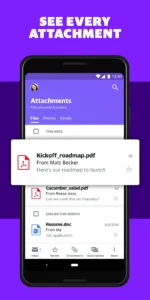
The Yahoo Mail Go- Organized Email app includes several features to help you stay in control of your messages. A standout feature is the unsubscribe tool, which displays all your mailing lists on one screen. This allows you to opt out of unwanted spam and junk mail with a single tap. You can also use the attachments view to quickly find specific documents or photos without scrolling through long threads. Customization is a core part of the experience. The new navigation system, referred to as the Joy Bar, sits at the bottom of your screen. You can customize this bar to show the folders and views that matter most to you, such as Sent, Drafts, or Trash. If you need to manage your files alongside your emails, consider using MediaFire to keep your data secure and accessible.
Key Features for Daily Use
- Travel View: Keep all your flight details in one spot, with automatic updates regarding gate changes or delays.
- People View: Filter your inbox to only show emails from specific people, allowing you to ignore automated messages.
- Generous Storage: Receive 1000 GB of email storage so you never have to delete important memories to make space.
- Accessibility: The app includes high contrast themes, dynamic text resizing, and is optimized for use with TalkBack and other screen readers.
- Custom Alerts: Set specific notification sounds and categories so you only receive the alerts that are important to you.
- Joy Bar Navigation: The new bottom navigation bar allows you to quickly access your folders and customize your view for your specific needs.
- Advanced Search: Use the search function located at the top right to locate specific emails or conversations across all your accounts.
Strengths and Limitations
Strengths:
- Lightweight design that performs well on various devices.
- Centralized hub for multiple email providers like Gmail and Outlook.
- Strong accessibility support for users who rely on screen readers.
- Easy management of mailing list subscriptions.
- Massive 1000 GB storage capacity for all your saved messages.
Limitations:
- The app is supported by advertisements.
- Requires the removal of the standard Yahoo Mail app before setup.
- Some features require an active internet connection to function correctly.
Frequently Asked Questions
Is Yahoo Mail Go- Organized Email free to use?
Yes, the app is free to download and use, though it is supported by advertisements.
Can I use this app with my Gmail or Outlook account?
Yes, the app allows you to add and manage Gmail, Microsoft Outlook, AOL, and AT&T accounts alongside your Yahoo email.
Does this app work offline?
The app is designed to help you organize and manage your mail, but you will need an active internet connection to sync your latest messages and receive real-time updates.
Which Android version is required?
The app is designed to be compatible with a wide range of devices, though specific requirements are managed through your device settings.
