


Accessibility Scanner 2.5.1.896851528
Google LLC
November 22, 2026
8.5 MB
2.5.1.896851528
com.google.android.apps.accessibility.auditor
RELATED APPS






SCREENSHOTS
DESCRIPTION
How can you use the Accessibility Scanner APK to make your apps more inclusive?
Accessibility Scanner is a powerful diagnostic tool developed by Google Commerce Ltd that helps you identify design flaws in your user interface. By analyzing screen layouts, this app provides actionable recommendations to improve the experience for all users, including those with disabilities. Whether you are a developer, a designer, or a quality assurance tester, using Accessibility Scanner allows you to catch common usability issues before they affect your audience. Installing the Accessibility Scanner APK gives you the ability to perform automated interface audits directly on your Android device.
What improvements does this tool suggest?
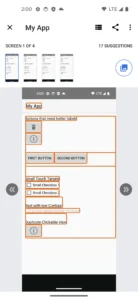
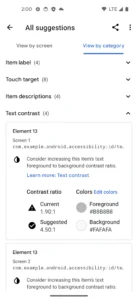
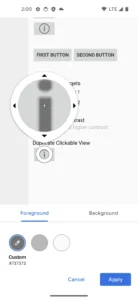
The app scans your current interface to highlight specific areas that need attention. It provides clear suggestions on how to enlarge small touch targets, which helps users with motor impairments interact with buttons more easily. You can also use it to check if your text and images meet contrast standards, ensuring that information is readable for everyone. Additionally, Accessibility Scanner identifies unlabelled graphical elements, prompting you to add the necessary content descriptions that screen readers require. By downloading the Accessibility Scanner APK, you gain access to professional-grade insights that help you reach a larger audience and improve user satisfaction, retention, and app ratings.
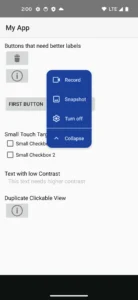
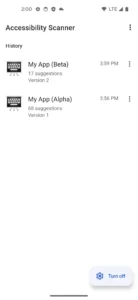
Beyond simple screen checks, the tool allows you to record an entire user journey across multiple interfaces. This feature is useful for testing complex workflows. Once the scan is complete, you can easily share the findings with your development team to determine how they can be incorporated into the app. If you are looking for other utilities for your device, you might explore tools like ZArchiver Pro Donate for file management or Minecraft Java: PojavLauncher for running specific desktop applications.
Getting started with the service
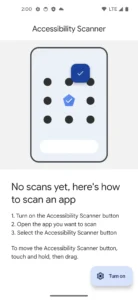
To begin, open Accessibility Scanner and follow the on-screen prompts to enable the accessibility service. Because this is an accessibility service, it requires permissions to retrieve window content and observe your actions to function correctly. The app also requests access to your internet connection, vibration settings, and the ability to query all packages on your device to perform comprehensive scans. The app also utilizes foreground services to remain active during your testing sessions. Once set up, you simply navigate to the app you want to check and tap the floating button to start a scan.
Quick facts about the application
Strengths and limitations
Strengths:
- Provides immediate, actionable design feedback for better accessibility.
- Supports full user journey recording across multiple screens.
- Completely free to use with no hidden costs or subscriptions.
- Backed by Google’s design and usability standards.
Limitations:
- Requires broad accessibility service permissions to operate effectively.
- The app must be manually enabled in your system settings to function.
- The scanning process may be intrusive if left active during regular use.
Who should use this app?
This tool is ideal for developers, UI designers, and quality assurance testers who want to ensure their apps are accessible to everyone. It is also useful for anyone interested in learning more about mobile usability standards. If you do not have an interest in app development or interface design, you may not find this utility necessary for your daily usage.
Frequently Asked Questions
Is Accessibility Scanner free to use?
Yes, Accessibility Scanner is a completely free tool provided by Google.
Does this app work offline?
The app requires certain permissions, including internet access, to function as intended, though the core scanning features analyze your local screen content.
What does the latest update include?
Version 2.5 includes improved accuracy for accessibility checks, expanded scanning for additional application windows, and various bug fixes.
