

Beauty Camera - Selfie Camera 3.3.1
Litter Penguin
November 26, 2026
77.5 MB
3.3.1
Android 6.0
photo.selfie.sticker.effect.camera
RELATED APPS



SCREENSHOTS
DESCRIPTION
Enhance Your Photos with Beauty Camera – Selfie Camera APK
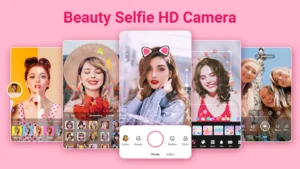
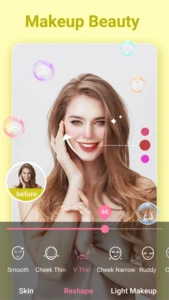
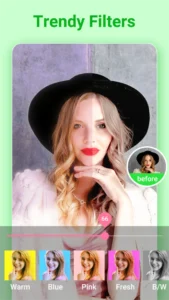
For those who love taking high-quality selfies and creating engaging short videos for social media, Beauty Camera – Selfie Camera is designed for you. Developed by Litter Penguin, this app provides a wide range of tools for photo and video editing, including real-time filters, AR stickers, and auto-beautification features. Whether you want to smooth your skin, reshape your face, or create music videos, this app offers a comprehensive suite of tools to help you achieve the perfect look. Using this Beauty Camera – Selfie Camera APK ensures you have the latest features for your mobile device.
The app allows you to take high-definition photos and videos with built-in retouching tools. You can make subtle adjustments like teeth whitening, eye brightening, or more extensive changes like body reshaping. Many users find it helpful to browse our offline games apk collection when they are not busy editing their latest portraits. The app’s AI smart beauty feature provides recommendations for your specific face shape, allowing you to create a custom style that looks natural and polished.
Creative Features for Every User
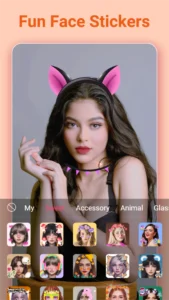
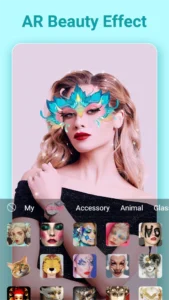
Beauty Camera – Selfie Camera simplifies the editing process with one-tap auto-retouching. You can access thousands of real-time beauty effects and AR stickers to make your content stand out. The app also includes a professional-grade editor for cropping, adding text, and creating collages. If you are looking for more specialized tools, you might also want to try GCam: Google Camera to experiment with different photography styles. By downloading the Beauty Camera – Selfie Camera APK, you gain access to a library of over 200 themed filters and gorgeous effects.
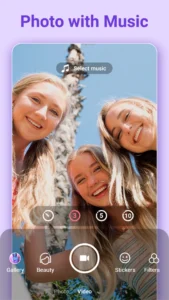
For video creators, the app supports music video templates and Duet videos. You can extract sound from your own videos to use as custom music sources. The interface also provides tools to remove unwanted objects from your photos and apply advanced filters. For those who need more extensive video editing capabilities, InShot: Video Editor & Maker is another useful app to consider for your mobile projects. The app also features a doodle pen and text tools, allowing you to customize the font, size, color, and background of your images.
Getting Started and Permissions
To start using the app, download the installation file and ensure your Android device runs version 6.0 or higher. During installation, the app will request various permissions to function correctly, such as access to your camera for taking photos, microphone access for recording videos, and storage access to save your edits. It also requires location and network state permissions to handle ad services and online content updates. The app also requests permission to display system alerts and utilize foreground services to maintain performance while you edit your photos.
Strengths and Limitations
Strengths:
- Extensive library of AR stickers and real-time filters.
- Powerful body and face reshaping tools.
- Integrated music video creation and editing features.
- One-tap auto-retouching for quick results.
Limitations:
- The app contains advertisements.
- Requires multiple permissions, including location and media access.
- The file size is 77.5 MB, which may impact storage on older devices.
Who Should Install This App
This application is ideal for social media enthusiasts who want to improve their photos and videos quickly without needing professional software. Beauty Camera – Selfie Camera provides all the necessary tools in one place, from teeth whitening to body slimming. Users who prefer a completely manual or professional camera experience without beauty filters may find other photography apps more suitable for their specific needs.
Frequently Asked Questions
Is Beauty Camera – Selfie Camera free to use?
Yes, the app is free to download and use, though it includes advertisements within the interface.
Does this app work offline?
While many editing tools work offline, some features like downloading new stickers or music may require an active internet connection.
Which Android version is required?
You need a device running Android 6.0 or later to install and run the app.
