

Chrome Beta 159.0.8154.18
Google LLC
November 22, 2026
236.0 MB
159.0.8154.18
com.chrome.beta
RELATED APPS






SCREENSHOTS
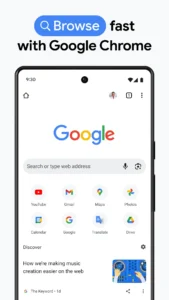
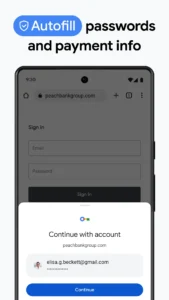
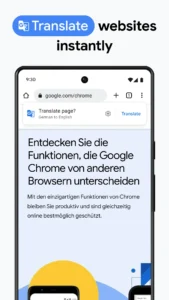
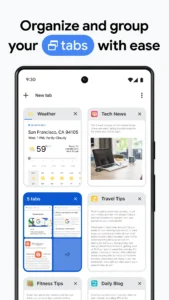
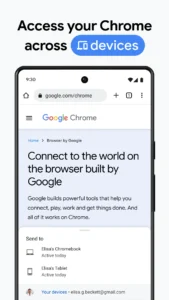
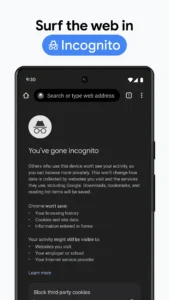
DESCRIPTION
Explore Upcoming Features with the Chrome Beta APK
Chrome Beta is the testing version of the popular web browser developed by Google LLC. When you install the Chrome Beta APK, you gain the ability to try out new tools and improvements before they reach the stable version of the app. By using this browser, you participate in the development process and provide feedback that helps refine the final product for all users.
Because this app is designed for testing, you might encounter minor performance issues or bugs. However, it offers a great way to see what is coming next for your web browsing experience. You can install it on your device without removing your current browser, making it easy to test features while keeping your main setup intact.
The app includes experimental settings that let you customize how the browser handles new web technologies. You can also send feedback directly to the developers, which is useful if you find a specific issue or want to report how a feature works on your device. Many users rely on the Google Chrome: Fast & Secure app for their daily needs, but this beta version serves as a companion for early adopters.
For those who enjoy experimenting with software, Chrome Beta offers a glimpse into the future of mobile browsing. If you also like testing new camera features, you might find interest in GCam: Google Camera to see how early software builds can improve your mobile photography.
Getting Started and Permissions
To begin, download the Chrome Beta APK and follow the standard installation prompts. The app requires several permissions to function, including access to your camera, microphone, and location services. These are needed for web-based features like video conferencing, voice search, and location-aware websites. It also requests access to your contacts and credentials to manage your Google account sign-in across different services.
The app uses foreground services for tasks like media playback and data synchronization to keep your browser sessions active. You will also see requests for network state access, which allows the browser to optimize data usage based on your connection type. Because this is a browser, it naturally requests internet access to load pages and sync your bookmarks.
Strengths and Limitations
Strengths:
- Gives early access to new browser features.
- Can be installed alongside the standard browser version.
- Provides a direct channel to give feedback to Google.
Limitations:
- Features may be unstable or contain bugs.
- The app is large, occupying 236.0 MB of storage.
- Requires a wide range of permissions to operate fully.
Who Should Install This App
You should install this app if you are a developer, a tech enthusiast, or someone who likes to see new software features before they are officially released. It is perfect for those who want to help improve browser performance through user feedback. If you prefer a completely stable experience, you should stick to the standard browser version instead.
Is Chrome Beta free to use?
Yes, the app is free to download and use.
Does it work offline?
It allows for basic browser functionality, but like most browsers, it requires an internet connection to load new pages.
Can I use it as my main browser?
You can, but keep in mind that it is a testing version and may occasionally have performance issues or bugs that could interrupt your work.
