


Dark Rogue : Tower Defense TD 1.4.37
Zygle Games
November 24, 2026
143.3 MB
1.4.37
Android 7.1
com.zygle.dark.roguetd
RELATED APPS



SCREENSHOTS
DESCRIPTION
Getting Started with the Dark Rogue : Tower Defense TD APK
To begin your journey in Dark Rogue : Tower Defense TD, you must first download and install the Dark Rogue : Tower Defense TD APK on your Android device. Ensure your system meets the minimum requirement of Android 7.1 or higher to handle the game’s mechanics effectively. Upon your first launch, the game initializes its assets to prepare the dark fantasy realm for your arrival. You do not need to sign in to start defending your territory, but the game does require specific permissions to function correctly across your device.
The app requests access to your network state and Wi-Fi to manage connection-based features and advertisements. It uses foreground services and wake locks to keep the game running during intense battles, while vibration and notification permissions allow for important game alerts. Because this is a strategy game, it integrates billing services to manage in-game purchases and utilizes various advertising-related permissions to support the free-to-play model. You can find similar tactical challenges in Bid Wars 2: Unlimited Money, which offers complex management tasks for different environments.
Mastering Combat in Dark Rogue : Tower Defense TD
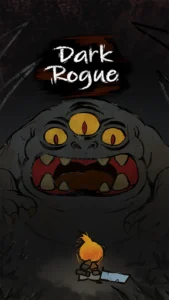
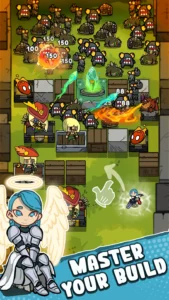
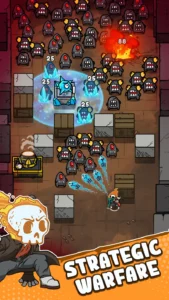
Once you are in the game, your main goal is to protect the city from waves of monsters. Dark Rogue : Tower Defense TD combines classic tower defense with roguelike elements, meaning that every run presents unique challenges that you must overcome. You must place your turrets, upgrade your weapons, and command legendary heroes to hold the line against the Darklord’s forces. Adaptation is key, as different enemies require specific tactical maneuvers and spell usage to defeat effectively.
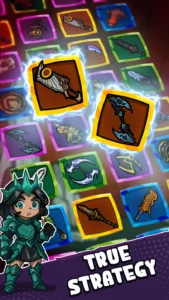
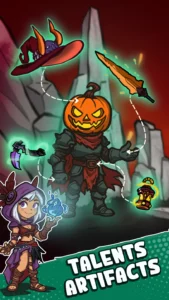
The game features a variety of defensive structures, including frost turrets, spears, and giant bows. As you progress, you will unlock new weapons and upgrades that allow for deeper strategic planning. The Dark Rogue : Tower Defense TD APK provides a blend of hero collection and tower defense that keeps the gameplay feeling fresh. You might look at TDS – Tower Destiny Survive to compare another take on the survival strategy genre. Remember that Dark Rogue : Tower Defense TD is designed to be unpredictable, so you should always be ready to change your strategy when a new wave of monsters appears.
Core Game Features
- Command legendary heroes to build an unbreakable defense line.
- Roguelike mechanics ensure no two fights are ever the same.
- Deep tactical mastery within a rich dark fantasy world theme.
- Dynamic blend of tower defense mechanics and hero collection.
- Wide array of weapons including frost turrets and dark spells.
Strengths and Limitations
- Unique blend of roguelike mechanics and tower defense gameplay.
- Deep tactical variety with multiple weapon and hero types.
- Includes advertisements as part of the free-to-play model.
- Requires consistent Android 7.1+ system resources for smooth performance.
Frequently Asked Questions
Is Dark Rogue : Tower Defense TD free to play?
Yes, the game is free to play, though it includes advertisements and optional in-app purchases to enhance your experience.
Does this game work offline?
The game requires an active internet connection for certain features, including those related to the ad services and game updates.
Which Android version do I need?
You need a mobile device running Android 7.1 or higher to play Dark Rogue : Tower Defense TD successfully.
APP TRAILER
