


RELATED APPS




SCREENSHOTS
DESCRIPTION
Are you looking for a compact web browser that saves mobile data and blocks annoying ads? Stargon Browser is a lightweight web browser created by Onecook. The Stargon Browser APK packs core browsing tools into a tiny 5.1 MB package designed for smooth daily navigation.
What Makes Stargon Browser APK Stand Out?
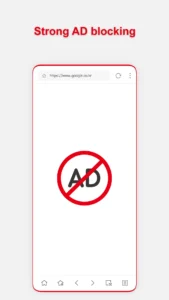
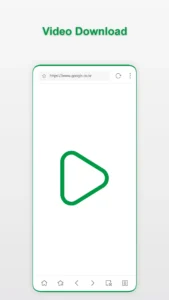
The app provides built-in tools to improve your daily browsing. Its powerful ad blocker stops intrusive advertisements across websites, making your web experience cleaner and faster. With the built-in video download and image download functions, you can save media directly to your device for offline viewing. This helps you keep content even when you are not connected to the internet.
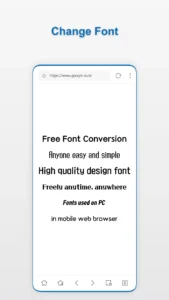
You can customize your viewing experience with custom fonts, dark mode, and reader mode, which adjusts page layouts for easier reading. An image blocker feature helps save mobile data by preventing images from loading. The browser also includes background media play, letting you listen to videos even when the app is minimized. For quick navigation, gesture controls allow you to perform common actions with simple swipes.
Stargon Browser for Android also integrates a QR code scanner for quick access to web links, and translate tools to understand foreign language content. For privacy, a secret mode helps ensure your browsing history is not saved. The app also features a DNS VPN, which can enhance your online security. Other convenience features include a video player, brightness control, and a capture tool for screenshots.
Beyond these, you will find a file manager to organize your downloads, a full screen mode for uncluttered viewing, and a PC mode to render websites as if you were on a desktop computer. Basic functions like bookmarks and history are also included. If you want a traditional browsing experience, you might also compare it with Google Chrome: Fast & Secure for standard web performance.
Installing and Setting Up the App
Getting started takes only a few moments due to the small download size. After completing the Stargon Browser download, the app requests optional permissions only when you use specific features. Location access enables location-based web content, such as maps or local search results, requested by you or the webpage. Camera access supports photo-taking features directly on a webpage or for scanning QR codes.
Microphone permissions allow voice recording features on web pages, which can be useful for voice search or online communication. Notification permissions keep you updated on active downloads and website notifications, ensuring you do not miss important alerts. These permissions are only used when you actively engage with features that require them. If you need a trusted source for safe app files, you can find a free APK download to get started smoothly.
Quick Facts Table
Strengths and Limitations
Here is what to expect when using Stargon Browser latest version on your mobile device:
Strengths:
- Tiny file size of just 5.1 MB keeps device storage free.
- Built-in ad blocker, video download, and DNS VPN tools.
- Gesture navigation, dark mode, and customizable fonts.
- Does not collect personal information according to the developer.
- Includes a wide range of convenience features like QR code scanner, file manager, and background play.
- Offers specific modes like reader mode, secret mode, and PC mode for varied browsing needs.
Limitations:
- Contains ad support within the free app interface.
- Requires extra permissions like camera or location for specialized web features.
For users who frequently exchange media files or chat alongside web browsing, combining your browser with apps like Telegram makes downloading and sharing content convenient.
Who Should Install Stargon Browser?
If your phone has limited storage or you prefer gesture controls and built-in video downloads, installing the Stargon Browser APK is a solid choice. The app is also good for users who value privacy, as the developer states it does not collect personal information. Its various customization and utility features make it suitable for those who want more control over their browsing experience without a large app footprint. However, if you prefer an interface with zero ad support, you may want to explore alternative options.
Frequently Asked Questions
Is Stargon Browser free to use?
Yes, Stargon Browser is free to download and use. It is supported by in-app advertisements.
Which Android version is required?
You need Android 6.0 or higher to run the app properly on your device.
Does Stargon Browser collect my personal information?
No, the developer states that Stargon Browser does not collect personal information.
Can Stargon Browser download videos?
Yes, Stargon Browser includes a built-in feature for video downloading.
