


UC Mini-Download Video &Status 12.13.0.1291
UCWeb Singapore Pte. Ltd.
November 24, 2026
55.6 MB
12.13.0.1291
Android 8.0
com.uc.browser.en
RELATED APPS






SCREENSHOTS

DESCRIPTION
Explore Features of UC Mini-Download Video &Status APK
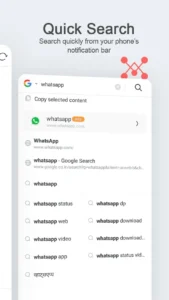
UC Mini-Download Video &Status is a mobile browser developed by UCWeb Singapore Pte. Ltd. designed to offer a quick and efficient way to explore the internet. It focuses on fast search speeds and media management, allowing you to access various websites and handle video content directly from your device. As you look for a UC Mini-Download Video &Status APK, keep in mind that this tool serves as a primary hub for browsing and entertainment on Android smartphones, currently boasting over 100 million installs globally. The developer has recently focused on SDK upgrades and improving compatibility with higher versions of Android to ensure a stable experience for a vast user base.
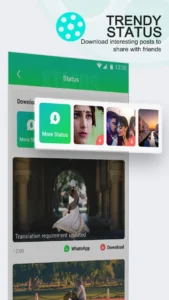
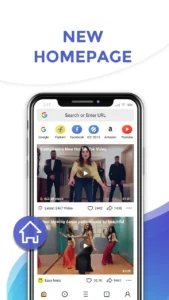
The app provides a streamlined browsing experience by integrating several media-focused features. You can watch, like, and comment on videos ranging from movies and TV series to short, funny clips. A dedicated Star Zone organizes content by specific celebrities, helping you find videos featuring your favorite stars easily. The Face Change Video Maker lets you swap faces with stars in photos and videos to create clips for sharing. This UC Mini-Download Video &Status tool makes your daily browsing more colorful by centralizing your favorite entertainment into one accessible interface.
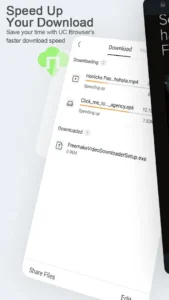
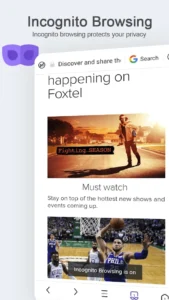
A major highlight of UC Mini-Download Video &Status is its boosted video downloader. This feature allows you to download multiple videos simultaneously without needing to keep the app open, as downloads continue in the background. To protect your privacy while you browse, the app includes an Incognito Mode that prevents the storage of history, cookies, or cache files. Additionally, a built-in ad blocker helps reduce interruptions by filtering out various forms of ads during your browsing sessions, providing a cleaner interface for reading and watching content.
To start using the app, download the UC Mini-Download Video &Status APK and ensure your device runs Android 8.0 or higher. The app requires several permissions to function, including access to your camera for the face-swap feature, media storage access for downloading files, and network state permissions to manage your internet connection. It also requests system-level permissions to handle notifications, manage accounts, and display content over other apps. By granting these, you enable the full suite of browser and media management tools.
Many users seeking communication and information tools also consider installing Telegram for secure messaging or Google Chrome: Fast & Secure for standard web navigation. These alternatives provide different sets of features depending on whether you prioritize media downloads or general browsing. The browser is built to be lightweight while maintaining a high level of performance for everyday tasks like searching, streaming, and managing your local media files.
Strengths and Limitations
- Fast background video downloading capabilities.
- Built-in ad blocker for a cleaner browsing experience.
- Organized video categories and celebrity-focused content.
- Face-swapping tools for creative video creation.
- Frequent updates for better device compatibility.
- The app is supported by ads.
- Requires a wide range of system permissions for full functionality.
Frequently Asked Questions
Is UC Mini-Download Video &Status free to use?
Yes, the app is free to download and use, though it is supported by advertisements.
Can I download videos while using other apps?
Yes, the boosted video downloader supports background downloading, so you do not need to keep the app open while files save to your device.
Does this app work in private mode?
Yes, the included Incognito Mode allows you to browse without saving your search history, cookies, or cache.
What is the minimum Android version required?
You need a device running Android 8.0 or higher to install and run this application.
