


UC Turbo- Fast, Safe, Ad Block 1.10.6.900
UCWeb Singapore Pte. Ltd.
November 24, 2026
44.7 MB
1.10.6.900
com.ucturbo
RELATED APPS






SCREENSHOTS
DESCRIPTION
Get the UC Turbo- Fast, Safe, Ad Block APK for a better web experience
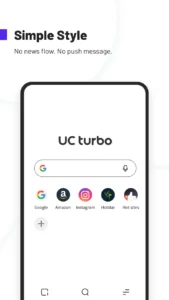
Many Android users deal with cluttered browsers that consume excessive mobile data and display unwanted advertisements. UC Turbo- Fast, Safe, Ad Block provides a minimalist solution designed by UCWeb Singapore Pte. Ltd. to simplify your mobile internet experience. If you are looking for the UC Turbo- Fast, Safe, Ad Block APK, you will find a browser that removes news feeds and push messages to focus on speed and clarity. Whether you need to save on your monthly data budget or want a cleaner way to view websites, this tool offers a direct approach to mobile navigation. It is built to optimize your browsing habits while providing essential tools for daily tasks.
Core browsing and utility features
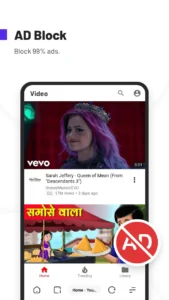
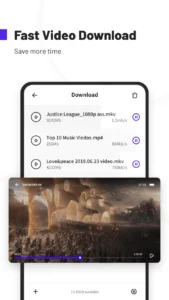
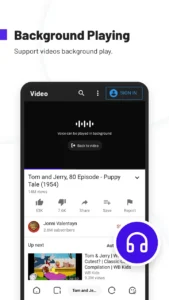
The app includes several built-in utilities that help you manage your digital life. The integrated Ad Block feature hides various forms of advertisements, and you can manually mark specific ads to prevent them from appearing again. For those who frequently watch online content, UC Turbo- Fast, Safe, Ad Block supports video playback in the background, allowing you to listen to audio while using other applications. You can also download videos to watch them offline when you lack a stable network connection. The browser also includes a useful tools kit that features a status downloader, network speed test, and image search to keep your tasks in one place.
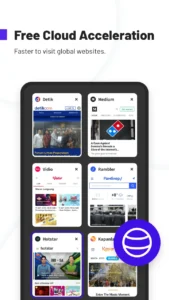
Security and privacy are central to the design. The Private Space feature lets you hide and password-protect your downloaded files and videos, keeping your content away from prying eyes. Furthermore, the incognito mode ensures that your browsing history remains unrecorded. If you need to access global content, the free cloud acceleration feature acts as a tool to help you visit websites and watch videos from anywhere in the world. You might also want to explore Google Chrome: Fast & Secure for a different browsing experience on your device.
Getting started and permissions
To begin using the browser, download the APK and follow the standard installation prompts. The application requires several permissions to function, including access to your device storage for saving files, location data for network optimization, and camera access for specific browser tools. It also utilizes system settings and network states to ensure the interface remains responsive. For users who prefer alternative communication platforms, Telegram is another option for secure data sharing.
Quick facts
Strengths and limitations
- Simple, minimalist interface without news feeds.
- Effective video downloading and offline playback.
- Customizable homepage and HD wallpaper settings.
- Includes significant permission requirements for full functionality.
- Some users may find the ad-blocking settings require manual input for specific site styles.
Key performance benefits
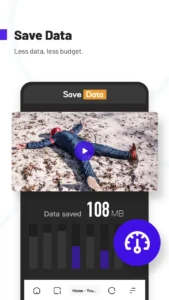
- Data saving technology helps you manage your mobile budget by saving up to 90% of data.
- Cloud acceleration provides faster access to websites globally.
- Night mode allows for comfortable browsing in low-light conditions.
- Multi-language support ensures barrier-free navigation for users worldwide.
- Switch tabs easily using the toolbar movement feature.
Frequently Asked Questions
Is UC Turbo- Fast, Safe, Ad Block free to use?
Yes, the application is free to download and use for all Android users.
Can I use this browser to watch videos offline?
Yes, you can download your favorite videos in advance and watch them later without an active internet connection.
Does this browser have a night mode?
Yes, the app includes a night mode designed to be more eye-friendly for comfortable browsing in low-light conditions.
Which Android version is required?
The developer does not specify a minimum Android version for this application.
