


Arc Search – Find it, Faster 1.12.11
The Browser Company of New York, Inc
November 24, 2026
29.0 MB
1.12.11
Android 10
company.thebrowser.arc
RELATED APPS






SCREENSHOTS



DESCRIPTION
Are you looking for a faster way to find information on your phone? With Arc Search – Find it, Faster APK, you get a mobile browser built to give you quick answers. Developed by The Browser Company of New York, Inc, this app uses AI to reduce internet clutter and help you find what you need without delay.
What Does Arc Search Do to Get You Faster Answers?
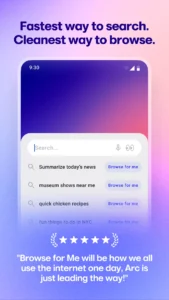
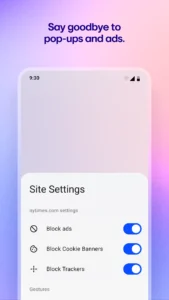
Arc Search focuses on speed and clarity. Its main goal is to help you get to an answer without browsing through unnecessary web content. The app uses AI to summarize web pages and remove visual clutter, making it easier to read key information.
The app also includes practical tab tools. A recent update allows you to export your open tabs by navigating to Settings, selecting Storage, and choosing Export data. If you also need to organize downloaded files on your phone, you can check out ZArchiver Pro Donate for archive management.
Getting Started with Arc Search – Find it, Faster APK
To begin using this browser, download the file and complete the setup on your Android device. It requires Android 10 or higher. During installation, the app requests specific permissions to function:
- android.permission.ACCESS_NETWORK_STATE: Checks active network connections.
- android.permission.FOREGROUND_SERVICE: Keeps background tasks running.
- android.permission.INTERNET: Accesses web pages.
- android.permission.QUERY_ALL_PACKAGES: Views installed apps on your device.
- android.permission.RECEIVE_BOOT_COMPLETED: Starts after your phone reboots.
- android.permission.RECORD_AUDIO: Supports voice search features.
- android.permission.WAKE_LOCK: Keeps the processor awake during tasks.
- com.google.android.providers.gsf.permission.READ_GSERVICES: Reads Google service settings.
- company.thebrowser.arc.DYNAMIC_RECEIVER_NOT_EXPORTED_PERMISSION: Manages internal app components.
You can discover more useful utilities for Android on whats download.
Quick Facts About Arc Search
Strengths and Limitations of Arc Search
Strengths:
- Free to download and use with no upfront price.
- AI integration helps reduce web clutter and summarize answers.
- Allows exporting open tabs to save your browsing session.
- Regular update schedule with version 1.12.11 available.
Limitations:
- Requests extensive permissions, including microphone access and querying installed packages.
- Requires Android 10 or higher, excluding older devices.
For users who want to run desktop games on Android alongside their utility apps, Minecraft Java: PojavLauncher offers a different option.
Who Should Install Arc Search?
You should install Arc Search if:
- You want an AI-assisted browser that cleans up web pages.
- You need a free app to get quick answers on your mobile device.
- Your phone runs Android 10 or newer.
You should skip Arc Search if:
- You prefer minimal permissions on your device.
- Your device runs an older Android version below 10.
Frequently Asked Questions About Arc Search
Is Arc Search free to use?
Yes, Arc Search – Find it, Faster is completely free to download and use.
Does Arc Search require an internet connection?
Yes, the app requires internet permissions to browse the web and fetch AI summaries.
Which Android version is required?
You need a device running Android 10 or higher to install Arc Search.
How do I export my open tabs in Arc Search?
Go to Settings, select Storage, and choose Export data to save your open tabs.
