


Turbo Cleanup: Phone Cleaner 1.0.0
Innovative Connecting
November 24, 2026
12.2 MB
1.0.0
Android 7.0
turbo.ai.phone.storage.free.cleaner
RELATED APPS






SCREENSHOTS

DESCRIPTION
Setting Up Turbo Cleanup: Phone Cleaner APK
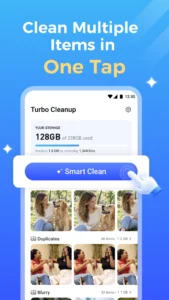
Getting started with Turbo Cleanup: Phone Cleaner is an easy process that helps you regain control over your phone storage. After you install the application, you do not need to create an account or sign up to use the tools. The app is designed to run locally on your device, ensuring your media files remain managed within your own hardware. Because it requires access to your gallery and system statistics, you will be prompted to grant permissions for reading images and videos, as well as package usage stats to identify how your storage is being consumed.
The app uses several permissions to function, such as foreground service access to perform media processing and network state permissions to check for updates. While the app is free and contains no advertisements, it does utilize specific identifiers for attribution purposes. If you are looking for other utility tools, you might also consider trying ZArchiver Pro Donate for your file management needs. Once the setup is complete, the app offers an immediate overview of your storage usage, allowing you to identify large files or cluttered folders that might be slowing down your device.
Core Features of Turbo Cleanup: Phone Cleaner APK
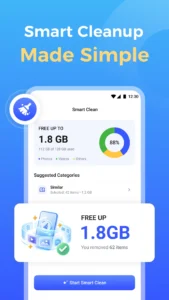
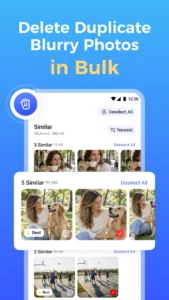
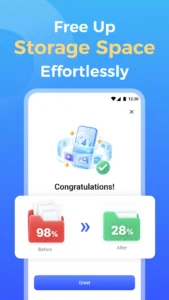
Turbo Cleanup: Phone Cleaner provides a suite of tools focused on organizing your gallery and shrinking file sizes. The AI-powered smart cleaning tool scans your media to find similar or blurry photos that often accumulate over time. By grouping these items together, the app allows you to perform batch deletions, which saves you from having to manually sort through thousands of images. You can also use the dedicated screenshot cleaner to quickly remove old, unwanted captures.
- AI-powered detection of similar and blurry images.
- Batch deletion tools for screenshots and unwanted photos.
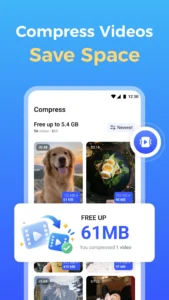
- Video compression to reduce storage footprint.
- Photo compression for supported image formats.
Beyond static images, the application addresses the large space requirements of video files. You can review your video library and identify files that are no longer needed. If you want to keep your videos but need more room, the integrated video compressor helps reduce the file size of your media library without significant quality loss. This functionality is complemented by a photo compressor that works in the same way, making your media collection much easier to manage. For those interested in expanding their device capabilities, you could explore Minecraft Java: PojavLauncher for a different type of utility.
Quick Facts
Strengths and Limitations
The primary advantage of Turbo Cleanup: Phone Cleaner is its completely ad-free experience. Users benefit from a clean interface that does not interrupt the cleanup process with pop-ups or banners. Because it runs locally, you can manage your files even when offline, and no account registration is required to access the full suite of tools.
- Requires Android 7.0 or higher.
- Permissions required for media access and usage stats.
- Focuses only on media and storage, not system optimization.
Who Should Use This App
This application is ideal for users who have a cluttered gallery and struggle to find space for new photos or videos. If you frequently take screenshots or accidentally capture blurry photos, this tool will save you significant time. It is also a good choice for those who want a simple, ad-free experience without the complexity of cloud syncing or account sign-ups. If you have an older device running an Android version below 7.0, or if you prefer a more comprehensive system-wide optimizer, you may want to look elsewhere.
Is Turbo Cleanup: Phone Cleaner free?
Yes, the app is completely free to download and use. It includes all features without requiring any paid tiers or subscriptions.
Does the app work offline?
Yes, the cleanup tools run locally on your device. You do not need an active internet connection to scan, compress, or delete your media files.
What Android version do I need?
You must have Android 7.0 or higher installed on your device to use this application.
