


RELATED APPS






SCREENSHOTS
DESCRIPTION
Designed for Minimalist Users
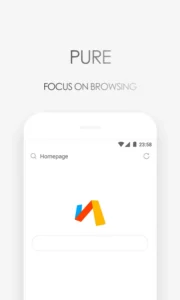
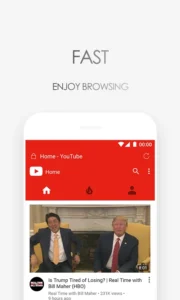
If you value efficiency and speed, Via Browser – Fast & Light is built for your needs. Developed by Tu Yafeng, this tool focuses on a clean, minimal interface that avoids unwanted news feeds and push notifications. It is specifically designed for users who want a distraction-free environment and a browser that respects the memory limits of their Android devices.
The app is small in size, making it a great choice if you have limited storage space. By keeping the interface simple, it ensures that your phone remains fast and responsive while you browse the internet. You might also want to check out ZArchiver Pro Donate if you are looking for additional utility tools for your device.
Key Features for Efficient Browsing
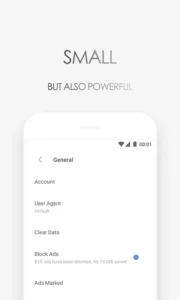
Via Browser – Fast & Light provides a range of functions without the bulk found in many other browsers. You get built-in ad blocking to clean up the websites you visit and a dedicated night mode for comfortable reading in low-light conditions. The browser supports add-ons, allowing you to extend its functionality based on your personal preferences.
For those who need technical control, the browser includes a computer mode to view desktop versions of sites, a translation feature, and the ability to view web page code. It also supports intelligence picture loading to help save data, which is useful when you are on a restricted mobile connection. If you need powerful file management, consider trying Minecraft Java: PojavLauncher for different tasks.
Getting Started and Permissions
To begin using the app, download the APK and install it on your device running Android 4.4 or higher. Upon first launch, the app may request various permissions to function correctly. These include access to location, network state, and Wi-Fi status to manage connectivity. It also requires camera and microphone permissions for specific web-based features, as well as storage access for saving files and managing downloads.
The app uses biometric and fingerprint permissions if you choose to use those for security features. It also requests access to your installed packages to manage external links and shortcuts. All permissions are used to provide the specific features mentioned, such as web page saving and custom homepage design.
Quick Facts
Strengths and Limitations
Strengths:
- Extremely small file size that saves device memory.
- Clean interface with no intrusive news feeds or ads.
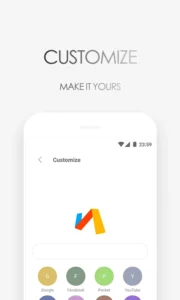
- Advanced customization options for the homepage.
- Includes useful tools like ad block and night mode.
Limitations:
- Requires a wide range of permissions to access full features.
- Manual configuration may be required to get the most out of advanced settings.
Who Should Use This Browser?
This browser is ideal for power users who want a lightweight, fast, and highly customizable mobile experience. It is particularly well-suited for older devices or phones with lower hardware specifications due to its minimal memory usage. If you prefer a browser that is simple and does not try to push content to you, this is a strong option. However, if you prefer a browser that comes pre-loaded with social media integrations or news aggregators, you might find this experience too stripped down.
Frequently Asked Questions
Is the app free to use?
Yes, the app is free to download and use.
Can I use this browser offline?
While you need an internet connection to load new web pages, you can use the web page save function to access content later.
Does it work on older Android versions?
It supports Android 4.4 and newer versions.
