


Turbo VPN - Secure VPN Proxy 4.3.2.2
Innovative Connecting
November 24, 2026
71.7 MB
4.3.2.2
Android 7.0
free.vpn.unblock.proxy.turbovpn
RELATED APPS






SCREENSHOTS


DESCRIPTION
How does Turbo VPN – Secure VPN Proxy APK work for you?
Turbo VPN – Secure VPN Proxy is a popular tool developed by Innovative Connecting designed to help you browse the internet with more freedom and security. If you are searching for a way to secure your online activities or access resources that might otherwise be unavailable, this app provides a functional solution. It manages your connection through various protocols to ensure your data remains protected. By downloading the Turbo VPN – Secure VPN Proxy APK, you gain access to a platform that prioritizes privacy and stability on your mobile device.
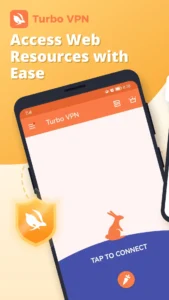
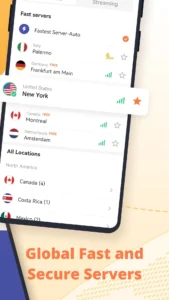
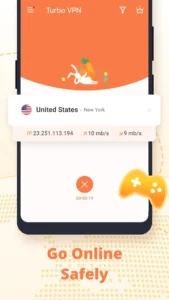
By connecting to one of the many available servers, you can mask your online identity while using WiFi hotspots or mobile data. The app is built to be accessible, allowing you to establish a secure connection with just one tap. Turbo VPN – Secure VPN Proxy handles the technical side of encryption so you can focus on browsing, streaming, or gaming without constant interruptions. It works effectively with LTE, 3G, and all mobile data carriers, ensuring you stay connected wherever you go.
What features does Turbo VPN offer?
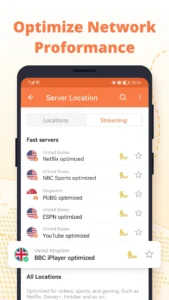
The primary benefit of this app is its unlimited access to free VPN proxy servers. Whether you are on 3G, LTE, or a WiFi network, the service works to keep your connection stable. You get access to military-grade AES 128-bit encryption, which is intended to guard your sensitive information while you are connected to public hotspots. For those who enjoy multimedia, the app includes specialized servers optimized for streaming videos and playing games, which helps reduce buffering and improve performance.
The app supports multiple protocols, including OpenVPN, IPsec, and ISSR, giving you flexibility in how your traffic is routed. If you enjoy managing your device’s files, you might also find ZArchiver Pro Donate a helpful addition to your toolkit. Additionally, for users who enjoy sandbox games on their mobile devices, Minecraft Java: PojavLauncher offers a unique way to play classic titles on the go. These tools combined with your VPN ensure a productive and secure mobile environment.
Getting started with the installation
To begin, download the Turbo VPN – Secure VPN Proxy APK file to your device. Ensure your phone runs Android 7.0 or higher to maintain compatibility. During the setup process, the app will request several permissions, including access to network state, WiFi state, and internet connectivity, which are essential for creating the VPN tunnel. It also requires permissions like foreground service and wake lock to maintain a stable connection while you use other apps. The app may also query installed packages and access ad-related IDs to support its free business model. Once installed, simply open the app and tap the main button to start your secure session.
Quick Facts
Strengths and limitations
Strengths:
- Unlimited free VPN access without complex configuration.
- Specialized servers for high-speed gaming and video streaming.
- Strong military-grade encryption for improved network security.
- Simple one-tap interface for quick connectivity.
Limitations:
- The app is supported by advertisements.
- Requires several permissions to function across different network types.
- Performance may vary depending on the selected server and your local network conditions.
Frequently Asked Questions
Is Turbo VPN free to use?
Yes, it offers unlimited free VPN proxy servers for all users.
Does it work on older Android versions?
You need at least Android 7.0 or higher to run the application.
Can I use this for gaming and streaming?
Yes, the app provides specialized servers designed to improve your experience with streaming platforms and online games.
