


RELATED APPS






SCREENSHOTS
DESCRIPTION
Are you looking for a web browser that prioritizes your privacy and speed? Firefox Focus: No Fuss Browser is a specialized browser from Mozilla designed for quick, private web sessions. It helps you get in, get out, and forget about your browsing activity. This app focuses on blocking trackers and quickly deleting your history, making it ideal for moments when you want to keep things separate from your main browser.
What is Firefox Focus: No Fuss Browser APK?
Firefox Focus: No Fuss Browser is a free mobile web browser developed by Mozilla. It provides a streamlined browsing experience without tabs, past sites, or open history. The app’s core purpose is to offer a private and distraction-free environment. It is perfect for searching for sensitive information or visiting sites you do not want linked to your regular browsing habits.
How Does Firefox Focus Protect Your Privacy?
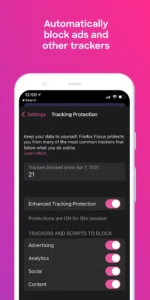
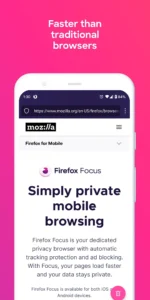
Privacy is a key feature of Firefox Focus: No Fuss Browser. The browser automatically blocks a wide range of online trackers. This includes social trackers and those often found with advertisements. By blocking these trackers, the app helps prevent websites from collecting data about your online activities. This also contributes to faster page loading speeds, as many elements that slow down pages are trackers or ads.
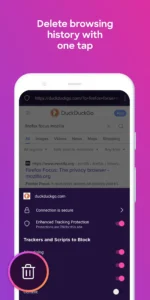
Another important privacy tool is the one-tap history deletion. With a single tap of the trash button, you can erase your browsing history, passwords, and cookies. This feature ensures that no traces of your session remain on your device. The app is backed by Mozilla, a non-profit organization dedicated to fighting for internet rights and user privacy. This means you can trust that it does not sell your data.
What Features Make Browsing Easier?
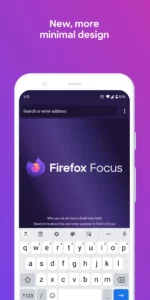
Beyond privacy, Firefox Focus: No Fuss Browser offers features to simplify your web experience. It has a distraction-free design. When you open the app, you see only the address bar and keyboard for quick searching. There is no recent history or open tabs to clutter the view. This minimal interface helps you concentrate on your current task.
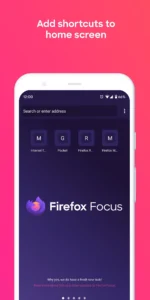
You can also create shortcuts to your favorite websites. The app lets you pin up to four shortcuts directly on your home screen. This allows you to reach frequently visited sites quickly without typing their addresses. If you need a more full-featured browser for general use, consider Google Chrome: Fast & Secure, which offers extensive features and synchronization.
How Do You Get Started with Firefox Focus?
To start using Firefox Focus: No Fuss Browser APK, download and install it on your Android device. The app requires several permissions to function correctly. For example, it needs access to your network state and the internet to load web pages. Permissions like ACCESS_COARSE_LOCATION and ACCESS_FINE_LOCATION are for location-aware services if you choose to enable them on websites.
The app also requests permissions for CAMERA and RECORD_AUDIO. These are typically used if a website you visit requires access to your device’s camera or microphone, such as for video calls. Permissions like DOWNLOAD_WITHOUT_NOTIFICATION and FOREGROUND_SERVICE help manage downloads and background tasks. It also uses USE_BIOMETRIC or USE_FINGERPRINT for secure access within the browser. For communication, you might also be interested in Telegram, a secure messaging app.
Other permissions like POST_NOTIFICATIONS allow the app to send you alerts, possibly for download completion. READ_MEDIA_AUDIO and READ_MEDIA_VISUAL_USER_SELECTED are for accessing media files you choose to upload to websites. The permission to INSTALL_SHORTCUT allows you to create quick access icons on your home screen. You can find more apps and information on whats download APK.
Quick Facts About Firefox Focus
Is Firefox Focus Right for You?
Who Should Install Firefox Focus?
- Users who prioritize privacy and want to block online trackers by default.
- Anyone needing a browser for quick, temporary web searches without saving history.
- People who want a simple, distraction-free browsing experience.
- Individuals concerned about their data being sold, as it’s backed by a non-profit.
Who Should Skip Firefox Focus?
- Users who rely heavily on multiple tabs, browsing history, and saved passwords for daily use.
- Users who want a full-featured browser with extensive customization options.
- Users with very limited storage, as the file size is 228.4 MB.
Frequently Asked Questions About Firefox Focus
Is Firefox Focus free to use?
Yes, Firefox Focus: No Fuss Browser is completely free to download and use. It has a price model of ‘free’, meaning you do not need to pay for the app itself.
Does Firefox Focus block ads?
Yes, Firefox Focus blocks many ads that you would normally see on web pages. It does this through its enhanced tracking protection, which also leads to faster page loading speeds.
What Android version does Firefox Focus require?
The app requires Android 8.0 or a newer version to run on your device. Ensure your device meets this minimum requirement before installing the Firefox Focus download.
How often is Firefox Focus updated?
The app was last updated on November 16, 2026. These updates often include bug fixes and technical improvements, as stated in the ‘What’s New’ section.
