

RELATED APPS





SCREENSHOTS
DESCRIPTION
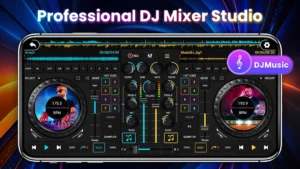
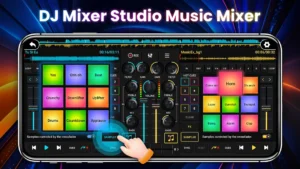
If you want to mix tracks on your phone without advertisements interfering, DJ Mixer Studio Pro – Remix DJ provides a realistic dual-deck setup. Developed by Mobile_V5, this paid audio application simulates a physical DJ console with touch sliders, knobs, and interactive turntables. Downloading the DJ Mixer Studio Pro – Remix DJ APK gives you full access to mixing tools, sound effects, and offline audio controls in an ad-free environment.
Explore Virtual Deck Controls in DJ Mixer Studio Pro – Remix DJ APK
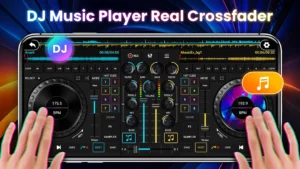
The app features two deck consoles that let you play two tracks simultaneously or switch between them during a set. You can adjust the volume ratio between active tracks using the built-in crossfader to create clean fade-ins and fade-outs. If you want to customize system audio levels alongside your mixing setup, you can check out Sound Assistant for dedicated volume controls.
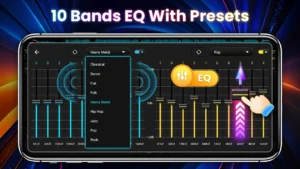
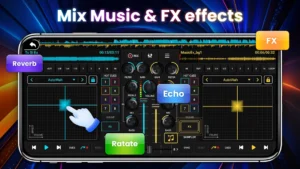
For tone and frequency management, the interface offers both three-button quick EQ controls and a full 10-band equalizer. You can activate the bass booster to enhance low frequencies during playback. The built-in FX engine includes seven distinct sound effects: AutoWah, Echo, Damp, Reverb, Chorus, Phaser, and Rotate.
BPM Sync, Looping, and Sample Packages
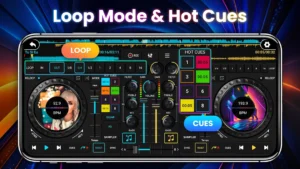
Matching tempos is essential for smooth transitions, and this virtual DJ mixer app displays real-time BPM values for every loaded track. The BPM synchronization feature aligns the speed of both decks instantly, while tone locking keeps the vocal pitch natural even when adjusting playback speed. When using DJ Mixer Studio Pro – Remix DJ for Android, you can set up to 8 hot cues per song and activate eight different loop lengths ranging from 1/8 to 16 beats.
You can layer live sounds onto your mix using 27 included sample packages featuring custom audio effects. One-click audio recording captures your live performance directly to local storage. If you want to explore more mobile utilities, search our a p k app index for other Android audio software.
The app reads local audio files stored on your phone storage so you can build playlists without an active internet connection. If you also need a dedicated music player for standard listening, consider looking at Meulify for offline track organization.
Getting Started and Required Permissions
To set up the application, download the 16.6 MB installation file on any device running Android 5.0 or higher. During installation and initial launch, the app asks for specific Android permissions to handle audio tasks:
- READ_MEDIA_AUDIO: Required to scan and play local music files stored on your device.
- RECORD_AUDIO: Needed if you plan to capture your live mixing sessions through the built-in recorder.
- POST_NOTIFICATIONS: Allows the app to show playback controls in your notification panel.
- FOREGROUND_SERVICE and WAKE_LOCK: Keeps audio playing continuously when switching apps or locking your screen.
Quick Facts
Strengths and Limitations
- Strengths: Ad-free interface, 10-band EQ with bass booster, 7 FX processors, real-time BPM sync, and 27 free sample packs.
- Limitations: Paid application model, requires storage and microphone permissions for full feature access.
Who Should Install This App?
This software suits aspiring DJs and music enthusiasts who want a tactile, ad-free DJ console on their phone or tablet. It provides standard tools like crossfading, hot cue points, and beat loops for practice sessions. Users looking for a free media player without audio mixing features should skip this paid package.
Frequently Asked Questions
Is DJ Mixer Studio Pro – Remix DJ free to download?
No, this is a paid application listed at 44,99 PLN. It serves as the ad-free premium version of DJ Mixer Studio.
Does DJ Mixer Studio Pro – Remix DJ work offline?
Yes, it reads local audio files stored on your phone, allowing you to mix songs without an active internet connection.
What Android version do I need for the DJ Mixer Studio Pro – Remix DJ latest version?
Your phone or tablet must run Android 5.0 or higher to install and run version 1.8.2.
