

RELATED APPS



SCREENSHOTS
DESCRIPTION
Do you need a reliable way to play your local audio files on Android? The standard music player on your phone might lack essential features. The Music Player – Audio Player APK offers a solution for managing and enhancing your personal music collection. This app helps you find all music on your phone and customize your listening experience.
Why Choose Music Player – Audio Player APK for Local Music
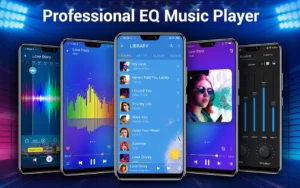
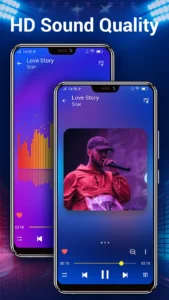
This app provides a powerful equalizer to shape your audio. You can choose from 22 pre-set music tones or manually adjust the five-band equalizer to create your own sound profile. This allows you to make your music sound exactly how you like it. The unique equalizer feature helps you achieve a listening experience suited to your preference.
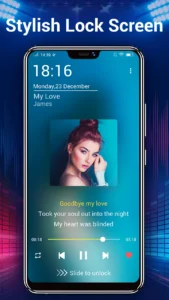
Beyond sound adjustments, the Music Player – Audio Player also supports lyrics. It automatically scans for lyric files and matches them to your songs so you can follow along. You can also trim and edit music files directly within the app, which is useful for creating custom ringtones. If you want per-app volume adjustments on Samsung devices, you can also check out the Sound Assistant app.
Personalize Your Listening Experience
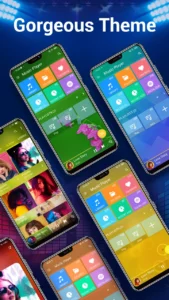
The app offers over 20 background skins so you can change the visual theme of your player to match your mood. You can also use your own pictures as a background. There are three desktop widgets (4×1, 2×2, 4×1) for quick control directly from your home screen, making playback management convenient.
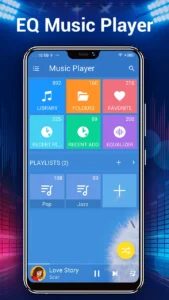
Managing your music library is made easy with this application. You can browse and play music by albums, artists, genres, songs, playlists, folders, and album artists. The app also supports a shake gesture to play the next or previous song. This adds a convenient way to switch tracks without opening the screen.
Finding new software on Android is simple, especially when you explore choices like the play store android download apk to discover useful media tools.
Manage Your Music Library Easily
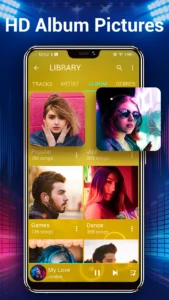
The Music Player – Audio Player guides you to find all music stored on your phone. It organizes your library based on artists, albums, and folder structures. You can also edit song details directly in the app to fix missing album or artist names. The app supports custom playlists, allowing you to group songs from albums, artists, or folders.
If you are exploring other audio players to stream or play music, consider reading about the Meulify music player.
Getting Started and App Permissions
To start using the app, get the Music Player – Audio Player download file and install it on your Android device. Upon launching, it requires permissions to manage playback and read storage. Permissions like READ_EXTERNAL_STORAGE, READ_MEDIA_AUDIO, and WRITE_EXTERNAL_STORAGE are necessary to detect and play local audio files.
Permissions such as INTERNET and ACCESS_NETWORK_STATE allow the app to display advertisements and search for online hot music videos. BLUETOOTH and BLUETOOTH_CONNECT enable wireless playback controls, while POST_NOTIFICATIONS shows status bar controls. AD_ID permissions support advertising functionality under the free price model.
Quick Facts
Strengths and Limitations
Strengths:
- Five-band equalizer with 22 pre-set tones.
- Over 20 background skins and custom image support.
- Easy library navigation by folder, artist, and album.
- Built-in audio trimmer for creating ringtones.
- Support for automatic lyric matching.
Limitations:
- Contains in-app advertisements.
- Requires several media and ad-related permissions.
- Does not support downloading music tracks.
Who Should Install and Who Should Skip
You should get Music Player – Audio Player for Android if you have a collection of local music files and want detailed equalizer control. It fits users who enjoy customizing background themes and editing track information directly on their phone.
You should skip this app if you want an ad-free interface or need a service to stream and download new songs online. It functions purely as a local audio player and file manager.
Frequently Asked Questions
Is Music Player – Audio Player free to use?
Yes, the app is free to download and use. It includes advertisements to support its free model.
Does this app work offline?
Yes, it operates as an offline music player for audio files stored on your local device storage.
What Android version does Music Player – Audio Player require?
The app requires Android 6.0 or a newer version to run properly.
Can I download music songs using this app?
No, the app is not a music downloader. It only plays existing audio files on your device.
