
RELATED APPS




SCREENSHOTS

DESCRIPTION
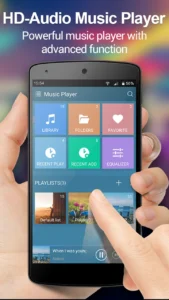
Music Player + is an audio tool for Android devices. Developed by Mobile_V5, this app helps you manage and listen to your local music files. It offers a clean, ad-free experience focused on user control over your audio library. If you are looking for a dedicated way to organize your local media, this application provides a comprehensive solution.
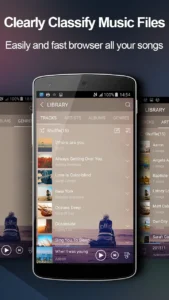
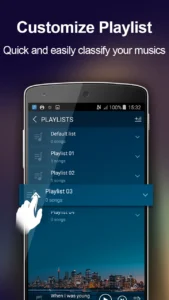
This app focuses on giving you full control over your audio. It supports many file formats. You can navigate your music collection by folders, artists, or albums. This makes it easy to find specific tracks or explore your library in different ways.
Customize Your Sound and Visuals with Music Player +
One key feature is the powerful five-band equalizer. It includes eight preset options. You can adjust the sound quality to match your preferences. This allows you to fine-tune bass, treble, and other audio frequencies for the best listening experience.
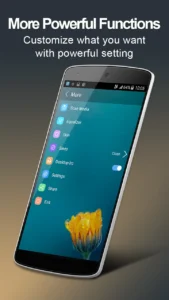
You can also personalize the app’s appearance. Music Player + offers over 20 different background skins. You can even upload your own images to use as backgrounds. This helps you make the player look exactly how you want it.
Smart Management and Convenient Controls
Managing your music library is simple with the built-in search and editing tools. If some of your files are missing album art or artist names, you can manually update these details directly within the app. This keeps your library organized and complete.
For quick control, the app supports headset and Bluetooth controls. This means you can skip tracks without touching your screen. There is also a unique ‘Shake It’ feature. This lets you move to the next or previous track by shaking your device. The app provides three different home screen widgets for quick access. You can also manage playback from your notification status bar. This bar displays album artwork and essential controls. For those who want to find other tools, you can dl apk apps directly to your device.
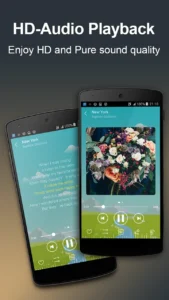
Music Player + also includes automatic lyric scanning. This feature finds and matches the correct lyric files to your songs. This is useful for singing along or understanding the words better. If you are exploring other audio options, you might compare this player with Meulify, which offers different interface options. For advanced control over audio output, consider checking out Sound Assistant to see how it handles per-app volume settings.
Getting Started and App Permissions
To use this app, your Android device must run version 6.0 or higher. The installation process is straightforward. Upon first use, the app requires several permissions to work correctly. It needs access to your storage. This allows it to read and write your audio files and lyrics data.
The app also uses Bluetooth and network state permissions. These are needed to handle headset controls and ensure connectivity. Other essential permissions include ‘Modify Audio Settings’. This permission is necessary to ensure the equalizer and sound adjustments work. ‘Foreground Service’ is another permission. It helps ensure your music continues playing smoothly even when you switch to other applications on your phone. This makes the experience reliable.
Quick Facts About Music Player + APK
| Fact | Detail |
|---|---|
| Requires Android | 6.0 and up |
| Developer | Mobile_V5 |
Strengths and Considerations for Music Player +
This Music Player + APK offers several strong advantages. It provides an entirely ad-free interface. You get highly customizable backgrounds and a built-in five-band equalizer. Robust folder-based navigation is also a key strength, making it easy to organize large music libraries.
However, there are some points to consider. This is a paid application. The extensive list of permissions may also be a concern for users who are very focused on privacy. It is important to review these before installing the app.
Who Should Install and Who Should Skip This App?
This app is ideal for users who store their music library locally on their Android device. If you want an ad-free experience with deep customization options, this player is a great choice. It suits those who enjoy fine-tuning their audio with an equalizer. It is also good for users who prefer a player that supports specific folder structures for organization. This includes users who download the Music Player + download to manage their personal collection.
You may prefer a different application if you primarily stream music from online services. This app is designed for playing local files, not streaming. If you rarely store music on your device, its features might not be what you need.
Frequently Asked Questions About Music Player +
Is Music Player + free to use?
No, this is a paid app. It is currently priced at 21,99 PLN.
Does it work offline?
Yes, the application is designed to play local music and audio files stored on your phone. It functions as an excellent offline music player.
Which Android version is required?
You need a device running Android 6.0 or higher to install and run the app. This ensures compatibility for your Music Player + for Android experience.