

RELATED APPS
SCREENSHOTS
DESCRIPTION
Do you want to mix your own music tracks? DJ Mixer Studio – DJ Music Mix is an app from Mobile_V5 that turns your Android phone into a virtual DJ console. It helps you create unique music mixes and apply sound effects. This app is designed for both new users and experienced DJs looking for a mobile solution. You can download the official DJ Mixer Studio – DJ Music Mix APK to start mixing today.
Who Should Install DJ Mixer Studio – DJ Music Mix?
This application is suitable for anyone interested in DJing, from beginners to more advanced users. If you want to practice mixing at home or create music for parties, this app offers many tools. It simulates a real DJ console, making the learning process intuitive. People looking for a free DJ music remix app will find this useful, as it offers core features without a price tag, though it does include ads. You can easily get the DJ Mixer Studio – DJ Music Mix APK to start your mixing journey.
However, if you prefer an ad-free experience or need a simple music player without mixing capabilities, this app might not be for you. Users who need a dedicated professional hardware setup might find the mobile interface limiting for very complex live performances. For a simpler music listening experience, you might consider apps like Meulify.
Making Music with DJ Mixer Studio – DJ Music Mix APK
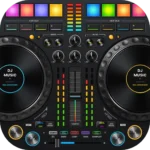
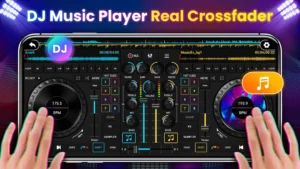
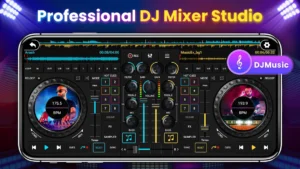
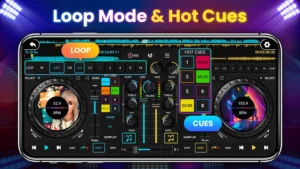
DJ Mixer Studio – DJ Music Mix provides a full suite of features to create and manage your music mixes. The app lets you play and remix songs on two virtual decks simultaneously. This setup mimics a physical DJ console, complete with a slide control bar, rotating knobs, and disc scrubbing.
- Dual Decks and Mixer: You can load songs onto two separate decks. The app includes a 3-band EQ mixer and a crossfader. This allows you to smoothly transition between tracks.
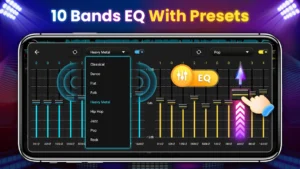
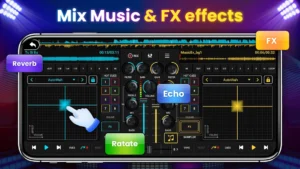
- Advanced Sound Control: Fine-tune your audio with a 10-band equalizer. You can also apply seven different FX effects. These include AutoWah, Echo, Damp, Reverb, Chorus, Phaser, and Rotate.
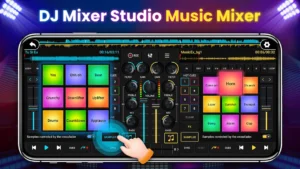
- Sample Packs and Hotspots: Access 27 free sample packages to add stunning sound effects to your songs. You can also set up to 8 hotspots per track. This lets you jump to specific parts of a song quickly.
- BPM Synchronization: The app displays the real-time BPM (beats per minute) of your songs. A BPM synchronization function ensures both tracks play at the same rhythm. There is also a tone locking feature, so BPM adjustments do not change the song’s pitch.
- Record Your Mixes: Capture your creative moments with a one-click recording function. This allows you to save your custom mixes directly from the app.
The developer, Mobile_V5, often updates the app. Version 2.2.1 includes some new UI designs for a better visual experience and fixes minor bugs. Earlier updates focused on optimizing the AudioMixer and refining permission requests.
Getting Started: Installation and Permissions
To install the DJ Mixer Studio – DJ Music Mix APK, you will first need to download the file. Ensure your Android device allows installations from unknown sources in your security settings. Once downloaded, open the file to begin the installation process. The app requires Android 6.0 or higher to run.
The app asks for several permissions to function correctly. You can download APK files and check these permissions before installing.
- Internet and Network Access: Permissions like android.permission.INTERNET, ACCESS_NETWORK_STATE, and ACCESS_WIFI_STATE allow the app to connect to the internet. This is needed for displaying ads and any online features.
- Audio Recording and Storage: RECORD_AUDIO, FOREGROUND_SERVICE_MICROPHONE, READ_MEDIA_AUDIO, READ_EXTERNAL_STORAGE, and WRITE_EXTERNAL_STORAGE enable the app to access your music files. They also let you record your mixes and save them.
- Advertising Services: Permissions such as ACCESS_ADSERVICES_AD_ID, ACCESS_ADSERVICES_ATTRIBUTION, ACCESS_ADSERVICES_TOPICS, and com.google.android.gms.permission.AD_ID are used for advertising purposes. This helps the developer show relevant ads within the free app.
- Notifications and Device Control: POST_NOTIFICATIONS allows the app to send you alerts. VIBRATE and WAKE_LOCK are common permissions for general app functionality, like keeping the screen on during use or providing haptic feedback.
These permissions ensure the app can access your audio, record new tracks, and display ads as part of its free service. For managing system-wide audio settings, you might find Sound Assistant helpful.
Quick Facts
What Works Well and What to Know
Strengths:
- Completely free to download and use.
- Simulates a real DJ console for an authentic experience.
- Offers comprehensive features like 10-band EQ, 7 FX effects, and 27 free sample packs.
- Includes beginner tutorials, making it easy for new users to learn.
- Allows one-click recording of your custom music mixes.
- Supports local song playback and BPM synchronization.
Limitations:
- The app includes advertisements, which may interrupt your experience.
- Requires a notable list of permissions, including several related to advertising.
- The file size is 42.4 MB, which might be large for some devices with limited storage.
Common Questions About DJ Mixer Studio – DJ Music Mix
Is DJ Mixer Studio – DJ Music Mix free to use?
Yes, DJ Mixer Studio – DJ Music Mix is free to download and use. It includes advertisements to support its development.
What Android version does DJ Mixer Studio – DJ Music Mix require?
The app requires Android 6.0 (Marshmallow) or a newer version of Android to operate.
Can I record my own mixes within the app?
Yes, the app features a one-click recording function. This allows you to save your created music mixes directly.
Does the app include an equalizer for sound adjustment?
Yes, it features a 3-band EQ mixer and a more precise 10-band equalizer. This helps you fine-tune your audio output.
