


Dynamics 365 for Tablets 4.3.24093.1
Microsoft Corporation
November 22, 2026
4.3.24093.1
Android 5.1
com.microsoft.crm.crmtablet
RELATED APPS






SCREENSHOTS
DESCRIPTION
Stay Productive Anywhere with Dynamics 365 for Tablets APK
For professionals managing customer relationships and business tasks on the move, Dynamics 365 for Tablets provides a reliable way to stay connected. Developed by Microsoft Corporation, this application ensures you can access important sales and service records directly from your mobile device. Whether you are in the office or visiting a client, the app helps you arrive prepared by keeping your schedule and data up to date. This tool is designed to ensure that the details of your business interactions are captured while they are still fresh in your mind. By centralizing your workflow, it helps you maintain professional standards throughout your busy day.
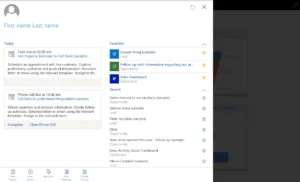
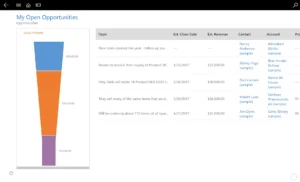
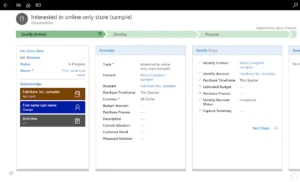
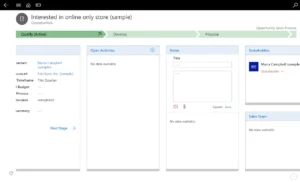
The Dynamics 365 for Tablets app is built for salespeople, agents, and supervisors who need consistent access to their business tools. It features an all-new Workspace that acts as a personalized hub for quick access to tasks and records. With compact layouts and stacked elements, the interface gives you the most essential information at a glance. You can also track your progress on key performance indicators using built-in visual charts that update as you work. The application provides a guided contextual business process to keep your daily operations running according to your company standards.
Managing your professional workflow becomes easier when you have tools that adapt to your environment. You can use this app to update notes, tasks, and attachments while information is still fresh. The enhanced note-taking experience allows for quick access to your device camera for documenting important details during site visits or meetings. For those who travel to areas with limited connectivity, the app supports offline access with synchronization, ensuring you remain productive regardless of your internet connection. You can access your activities, accounts, contacts, and leads directly from an easy-to-use home page that is optimized for mobile devices.
To get started, simply install the Dynamics 365 for Tablets APK on your device. The app requires Android 5.1 or higher to function correctly. A simple setup experience enables you to configure the app once and deploy it everywhere, whether on mobile, desktop, or tablet. If you need to manage point-of-sale activities, you might also find the Kyte: POS, Online Store & Catalog app useful for your business operations. Additionally, if you require advanced research and information gathering, Bing: Chat with AI & GPT-4 is available to assist with your daily tasks.
Quick Facts
Strengths and Limitations
Strengths:
- Allows for offline work with data synchronization.
- Includes visual charts for tracking performance indicators.
- Offers a personalized Workspace for quick access to common tasks.
- Optimized layout for mobile and tablet screens.
- Supports document attachments and camera integration for notes.
Limitations:
- Requires a compatible Microsoft business account for full functionality.
- The app experience is specific to users already integrated into the Dynamics 365 ecosystem.
Who Should Use This App?
This app is ideal for current users of the Microsoft business platform who need to manage contacts, leads, and accounts while away from their primary workstation. It is a powerful tool for field agents and sales professionals who rely on real-time data updates to provide better customer service. If your business does not use Microsoft Dynamics, this app will not provide the necessary utility for your operations.
Frequently Asked Questions
Is Dynamics 365 for Tablets free to download?
Yes, the application is available as a free download.
Does this app work offline?
Yes, it supports offline access with synchronization, so you can continue to update records without an active internet connection.
What is the minimum Android requirement?
You need a device running Android 5.1 or later to run the application.
