


RELATED APPS






SCREENSHOTS
DESCRIPTION
Do you struggle to keep your photos and videos organized on your Android device? Many people have hundreds of media files, making it hard to find specific memories or keep private content secure. Download Gallery- Photo Gallery & Album APK to organize, edit, and protect your digital media. Developed by Mobile_V5, this photo manager app combines an album locker, photo editor, collage maker, and video player into one lightweight tool.
Effortless Photo and Video Management
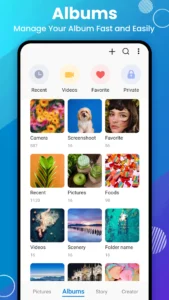
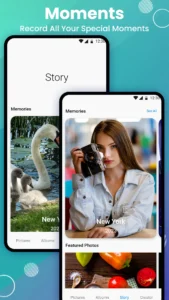
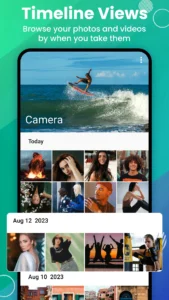
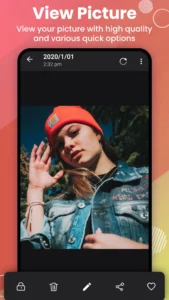
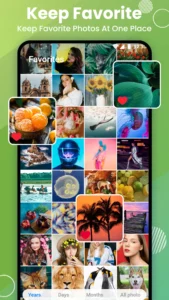
The main task of Gallery- Photo Gallery & Album is simplifying how you view and handle your media files. The app automatically arranges your photos and videos by date, time, folder, and location. This automatic sorting makes it much faster to locate specific memories without scrolling through thousands of unorganized images.
Finding specific items is simple using the built-in search feature. You can search by date or location, or browse by days, months, and years. If you accidentally delete an image, the app includes a recycle bin to help retrieve your files. It also supports reading and writing to multiple SD cards, so moving files to external storage is fast and straightforward.
Secure Your Private Media
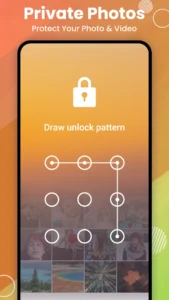
Privacy is a key focus for this utility. You can lock individual photos, videos, or entire albums behind a PIN, pattern, password, or fingerprint lock. Content placed in the vault is encrypted so only you can view it. If you forget your security password, you can reset access using a customizable security question.
In addition to basic viewing and privacy, the app offers creative editing tools. You can crop, rotate, resize, mirror, flip, and blur images directly inside the viewer. For more advanced photo capture option before organizing, you can use GCam: Google Camera to take your shots.
HD Video Playback and Editing Options
This software functions as an HD video player supporting formats like MP4 and MKV. It allows foreground service video playback, meaning videos continue playing in the background while you navigate away. You can control media directly from the notification bar without keeping the player interface active on your screen.
The app also includes a collage maker with over 200 photo effects, stickers, emojis, and text overlays. If you need dedicated video editing capabilities beyond basic playback, consider trying InShot: Video Editor & Maker for your mobile projects.
Getting Started with Gallery- Photo Gallery & Album APK
To set up Gallery- Photo Gallery & Album for Android, download the installer file and launch it on your device. When you get updates or install apps via whats.download, make sure to review the requested permissions before finishing installation.
The app requests media location access to sort images geographically, camera permissions for quick capturing, and notifications to manage background playback controls. On Android 11 and above, granting the all-files access permission (MANAGE_EXTERNAL_STORAGE) is required for file encryption and full vault operation. Biometric permissions enable fingerprint unlocking for your hidden photo vault.
Quick Facts
Strengths and Limitations
Strengths
- Includes album locking with PIN, pattern, password, and fingerprint protection.
- Built-in photo editor and collage maker with over 200 photo effects.
- Automatic sorting by date, time, and location with a built-in search tool.
- Recycle bin allows recovery of accidentally deleted media files.
- Background video playback with notification panel controls.
Limitations
- Contains advertisements during standard use.
- Requires deep storage management permissions for full file vault functionality.
Who Should Install It?
Install this software if you need an all-in-one media management tool that includes an album locker, simple image editing, and background video playback. It works well for users who want to organize files across internal storage and SD cards.
Who Should Skip It?
Skip this app if you want a completely ad-free gallery or prefer minimal apps that request fewer system permissions. If your device runs Android 5.1 or older, this build will not install.
FAQ
Is Gallery- Photo Gallery & Album free to use?
Yes, the app is free to download and use, though it includes advertisements.
What Android version is required?
Your device must run Android 6.0 or higher to install this software.
Can I recover deleted pictures?
Yes, you can retrieve deleted files using the built-in recycle bin feature.
Does Gallery- Photo Gallery & Album work offline?
Yes, viewing, organizing, and editing local media files does not require an active internet connection.
