
RELATED APPS






SCREENSHOTS
DESCRIPTION
The HD Camera for Android app helps you take photos and videos on your Android device. Developed by Mobile_V5, this application provides essential camera functions. It aims to offer an efficient way to capture moments quickly and easily. With a rating of 4.8 out of 5 from over 720,000 reviews, it is a popular choice for mobile photography.
How to Get Started with HD Camera for Android APK
Installing the HD Camera for Android APK is a simple process. First, ensure your device allows installations from unknown sources in its security settings. Then, download the APK file from a trusted source. Once downloaded, open the file to begin the installation. Follow the on-screen prompts to complete the setup. The app requires Android 6.0 or higher to function.
Understanding Permissions for HD Camera for Android
When you install HD Camera for Android, it will ask for several permissions to operate correctly. Understanding these helps you decide if the app is right for you:
- Camera: This is necessary for the app to access your device’s camera sensor and take photos or record videos.
- Record Audio: Required for recording sound when you capture videos.
- Read and Write External Storage (and Media): These permissions allow the app to save your photos and videos to your device’s storage and access existing media for editing or sharing.
- Access Fine and Coarse Location: The app can remember the location where your photos and videos were taken if you choose to enable this feature. Other apps might access this information too.
- Access Network State, Wi-Fi State, Internet: These are used for network connectivity, which is often needed for displaying ads and sharing features.
- Access Ad Services (Ad ID, Attribution, Topics) & Google Ad ID: These permissions are specifically for advertising services within the free app.
- Set Wallpaper: Allows you to directly set a captured photo as your device’s wallpaper.
- System Alert Window: This permission may be used to display content over other apps, possibly for camera overlays or specific features.
- Vibrate: Provides haptic feedback, for example, when you press the shutter button.
- Wake Lock: Prevents your device from sleeping while the app is in use, ensuring uninterrupted photo or video capture.
- Foreground Service: Ensures the app can perform tasks in the background while still visible to the user, like continuous recording.
Key Features for Better Photos and Videos
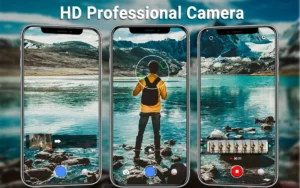
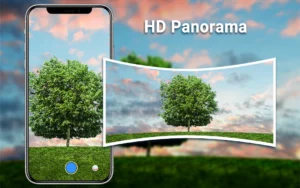
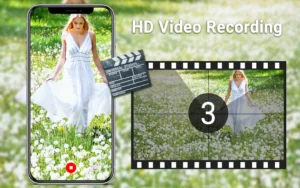
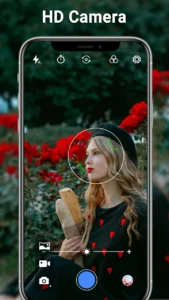
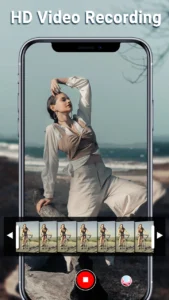
This app provides a range of features to enhance your mobile photography. You can switch between three main modes: camera, video recorder, and panorama. For composing shots, it includes pinch-to-zoom functionality and a countdown timer. The app also supports wide-screen pictures and lets you adjust picture quality.
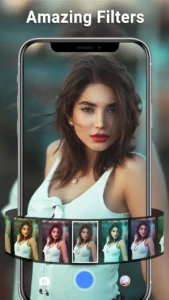
Beyond capturing, HD Camera for Android offers basic editing tools. You can use the photo collage feature to combine multiple images. It also includes photo crop and other photo editing options. For more specialized video editing, you might consider InShot: Video Editor & Maker.
Advanced settings are available for white balance, including Incandescent, Fluorescent, Auto, Daylight, and Cloudy options. You can also select screen modes like Action, Night, Sunset, and Play to suit different environments. Exposure adjustments give you control over the brightness of your images. The app also adapts its interface dynamically for phones and tablets.
Quick Facts About HD Camera for Android
Strengths and Things to Consider
What We Like
- Free to Use: The app is available at no cost, making it accessible to many users.
- Multiple Modes: Offers camera, video, and panorama modes in one application.
- Basic Editing Tools: Includes features like photo collage, cropping, and general photo editing.
- Native Android Base: Built on native Android camera code, which may offer efficiency.
- Regular Updates: The app receives updates to adapt to newer Android versions and improve performance. The latest version, 7.0.6.0, is adapted to Android 16.
Points to Note
- Contains Ads: As a free app, it includes advertisements, which might interrupt the user experience.
- Extensive Permissions: Requires many permissions, including location, storage, and various ad-related accesses.
- Basic Features: While functional, it offers fundamental camera features. Users seeking highly advanced photographic controls might prefer alternatives like GCam: Google Camera.
Who Should Install HD Camera for Android and Who Should Skip
If you are looking for a simple, efficient camera application for your Android device, HD Camera for Android is a good option. It is especially useful if your phone or tablet does not have a well-developed native camera app, or if you prefer a free alternative with essential features. It allows for quick photos and videos with some basic editing capabilities.
However, if you prioritize an ad-free experience, wish to minimize app permissions, or require professional-grade photography tools, this app might not be the best fit. Users who need advanced manual controls, complex filters, or deep editing capabilities may find its features too basic. For a wide range of apk application download options, you can explore other apps available.
Frequently Asked Questions about HD Camera for Android
Is HD Camera for Android free to download and use?
Yes, the HD Camera for Android app is free to download and use. However, it does contain advertisements.
What is the minimum Android version required for this app?
The app requires Android 6.0 (Marshmallow) or a newer version to run on your device.
Can I record videos with HD Camera for Android?
Yes, the app includes a video recorder mode, allowing you to capture videos in addition to photos.
Does the app have photo editing features?
Yes, it offers basic photo editing features, including photo crop and the ability to create photo collages.