Camera - HD Camera for Android 1.0.65
Weather app
November 27, 2026
2.6 MB
1.0.65
Android 4.0.3
hd.best.camera
RELATED APPS





SCREENSHOTS
DESCRIPTION
Many stock camera apps lack detailed focus modes and granular lighting controls. If your basic camera setup limits photo clarity, installing Camera – HD Camera for Android APK gives you direct control over focus distance, exposure time, and white balance settings. For users looking for a reliable Camera – HD Camera for Android download that enhances phone photography, this app provides advanced features. Created by developer Weather app, this compact 2.6 MB photography tool brings detailed controls to standard Android hardware.
Why Choose Camera – HD Camera for Android APK for Mobile Photography
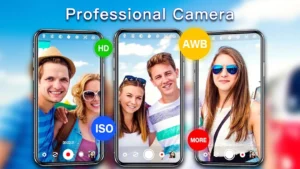
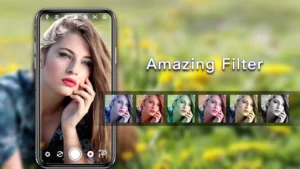
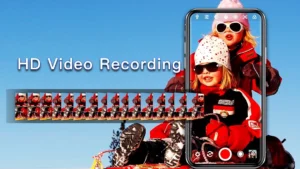
Standard phone tools often automate lighting and focus, which can result in washed-out shots or soft images. This application restores manual options, letting you adjust ISO speed, exposure compensation, and white balance settings like incandescent, daylight, or cloudy. It supports a professional capture mode, allowing you to fine-tune image properties before you shoot. You can also apply real-time filters and color effects directly, seeing the changes on screen instantly. As a professional HD camera app for Android, it helps users capture more beautiful photos and videos. Photographers looking for extra processing choices might also explore GCam: Google Camera to compare low-light snapshot performance.
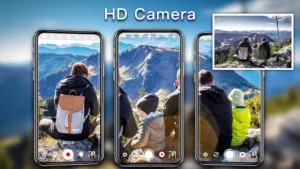
Beyond manual controls, the app offers multiple scene modes including night, sports, party, and sunset. These modes optimize camera settings for specific environments, helping you capture clearer photos in diverse situations. You can switch on continuous shooting for fast action, enable HDR for challenging contrast, or display golden ratio lines and face detection markers across the screen to align your subject before capturing photos or recording 4K footage. The app also includes auto-stabilize and zoom features to help keep your shots steady and focused.
How to Install and Setup Permissions
Getting started takes only a few simple steps. You can safely grab the installation file on whats download and open it on your phone. The app is a compact 2.6 MB, ensuring it downloads quickly and uses minimal storage space on your device. Because the app supports Android 4.0.3 and higher, it runs smoothly across both older and newer mobile devices, making advanced camera features accessible to a wide range of users.
During setup, the app requests specific permissions to operate its camera hardware and features:
- Camera: Required to take pictures, record video, and display the live viewfinder.
- Record Audio: Needed to capture clear sound when recording video clips.
- Location (Coarse and Fine): Used to add location tags to your saved media files.
- Bluetooth Connect and Scan: Allows connection to external Bluetooth shutter accessories or remote hardware tools.
Quick App Specifications
Strengths and Limitations
When selecting a secondary camera utility, evaluating both the positive aspects and functional boundaries helps you decide if it fits your shooting routine. This tool offers several advantages for users seeking more control over their mobile photography.
Strengths:
- Small download package size of 2.6 MB that uses minimal storage space.
- Manual focus, ISO, and exposure adjustments for custom control.
- Built-in countdown timer, repeat shooting, and HDR capture options.
- Grid options including golden ratio overlays and face detection markers.
- Real-time filters and multiple scene modes to enhance creative output.
However, it also comes with certain limitations that users should consider.
Limitations:
- Supported by embedded advertisements, which may appear during use.
- Requires audio and location permissions for full functionality.
- Does not offer advanced photo editing tools beyond capture settings.
Editing and File Management
After capturing high-resolution photos or 4K videos, you may want to crop clips or apply creative adjustments. Pairing your photos with InShot: Video Editor & Maker gives you a full suite of trimming tools and filters to prepare your media for video sharing networks.
Who Should Install and Who Should Skip
You should install Camera – HD Camera for Android if you want direct access to manual focus, white balance presets, and ISO controls without loading down your device memory. This app is ideal for users who enjoy fine-tuning their camera settings to achieve specific photographic results. It fits well on older Android devices running version 4.0.3 or higher, providing enhanced capabilities where stock apps might be basic. If you are looking to capture 4K video or use real-time filters, this app provides those features.
You should skip this application if you want a completely ad-free experience or prefer automated point-and-shoot software that requires zero configuration before taking a picture. It is also not suitable if it is designed for capturing photos, not for editing them afterwards. For editing, you would need a separate application.
Frequently Asked Questions
Is Camera – HD Camera for Android APK free to download?
Yes, the application is free to install. It is supported by advertisements within the interface.
Does the app work on older Android devices?
Yes, the app requires Android version 4.0.3 or higher, making it compatible with legacy mobile phones.
Why does the app request Bluetooth permissions?
Bluetooth access enables the camera app to detect and pair with remote camera shutters and connected control devices.