


Google One 1.335.1018429345
Google LLC
November 22, 2026
19.9 MB
1.335.1018429345
Android 9
com.google.android.apps.subscriptions.red
RELATED APPS






SCREENSHOTS
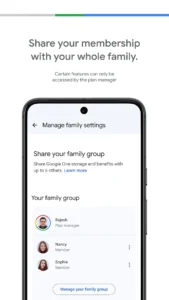
DESCRIPTION
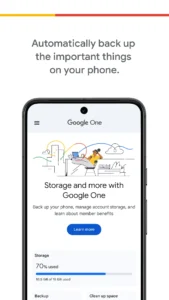
Managing your digital life becomes significantly easier when you have a centralized hub for your backups. Google One is the official application by Google Commerce Ltd designed to help you organize your cloud storage and protect your mobile data. By using this tool, you can ensure that your photos, contacts, and messages remain safe and accessible across all your devices. With over 1 billion installs, this app serves as a foundation for keeping your digital footprint secure and well-organized on your mobile device.
Setting Up Your Google One APK Backup
Getting started with the app is easy for any user. Once you download the Google One APK, you sign in with your Google account to begin managing your cloud space. The app automatically handles backups for your essential information, ensuring that if you lose or upgrade your phone, your data is ready to restore to a new Android device. It is a reliable solution for anyone who needs to keep their digital files organized without complex configurations. The app works in the background to maintain your data integrity consistently.
The application requires several permissions to function properly. It needs access to your network state, internet connectivity, and account management tools to synchronize your storage effectively. It also uses billing permissions to handle membership upgrades. You might also want to explore Google Meet for your communication needs while you manage your files. Similarly, if you are looking for alternative ways to store your documents, you could consider using MediaFire as a secondary storage option for your file backup needs.
Core Features for Storage Management
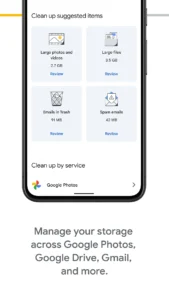
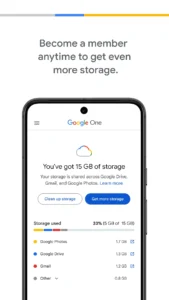
The primary benefit of using Google One is the ability to monitor and manage your storage across Gmail, Google Drive, and Google Photos from a single interface. Every Google account comes with 15 GB of free storage, and the app provides a clear view of how that space is being utilized. You can easily identify which files are taking up the most room and make room for new content by reviewing your storage distribution. This visibility helps you avoid running out of space unexpectedly.
For users who require more space for photos, projects, or digital files, the app allows you to upgrade your membership directly. You can choose a plan that fits your specific needs, providing you with the extra capacity required to store your important memories without worry. Google One performs these tasks in the background, so you do not have to manually sync your information constantly. This automated approach is designed to save you time while ensuring your data remains protected against hardware failure or device loss.
Quick Facts
Strengths and Limitations
Strengths:
- Automatic backup of contacts, photos, and messages.
- Easy management of shared storage across Google services.
- Option to upgrade storage plans directly within the app.
- Compatible with a wide range of Android devices.
Limitations:
- Requires an active Google account to function.
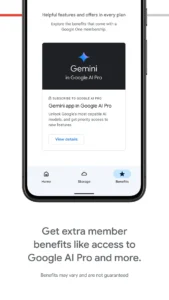
- Additional features require a paid membership subscription.
- The app requests multiple permissions, including access to installed packages and boot completion.
- Requires an internet connection for cloud synchronization.
Who Should Use This App
This app is ideal for Android users who rely on Google services and want a simple way to keep their data backed up. It is especially useful if you frequently switch between devices or want to avoid losing your photos and messages. If you do not use Google cloud services, you may find that this application does not offer features relevant to your needs.
Frequently Asked Questions
Is Google One free to use?
Yes, the app is free to download and includes 15 GB of storage with your Google account. You only pay if you choose to upgrade to a higher storage plan.
Does it work offline?
The app requires an internet connection to sync and back up your data to the cloud.
Is this the latest version?
The current version is 1.335.1018429345, which includes recent bug fixes and performance improvements.
APP TRAILER
