


Google Play Console 9.0.939617269
Google LLC
November 22, 2026
32.2 MB
9.0.939617269
Android 7.0
com.google.android.apps.playconsole
RELATED APPS






SCREENSHOTS
DESCRIPTION
Keeping track of your Android applications while on the move can be a significant challenge for developers. The Google Play Console app by Google Commerce Ltd provides a direct solution, allowing you to monitor your app’s performance and respond to user feedback without needing a desktop computer. This tool is designed to help you stay connected to your published projects from anywhere.
Managing Your App Performance with Google Play Console
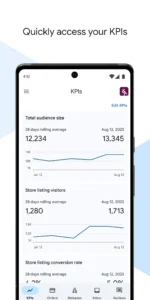
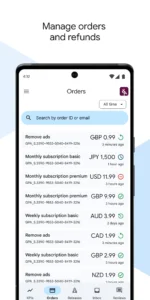
The Google Play Console allows you to monitor vital metrics directly on your smartphone. By tracking these data points, you can quickly identify trends in user engagement and app stability. You can also handle your app’s orders and issue refunds, which helps maintain high customer satisfaction. If you are looking for other utilities, you might also find ZArchiver Pro Donate useful for managing your local files while you work.
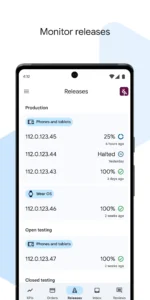
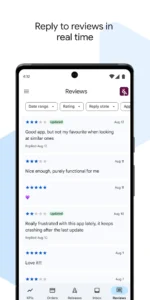
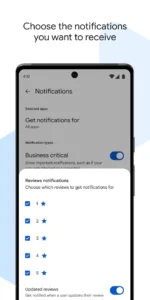
Communication with your user base is simplified through the review management feature. You can view and reply to app reviews directly, which is essential for addressing user concerns and improving your app’s rating. The app also helps you track and monitor the availability of your titles across various tracks and releases. If you are preparing files for your development environment, you could test your builds using tools like Minecraft Java: PojavLauncher to ensure compatibility.
The latest update allows you to halt or change the rollout percentage of staged rollouts. This control gives you more flexibility when launching new features or updates to your audience. The app requires several permissions to function, including internet access to fetch data, network state checks, and notification permissions to keep you updated on critical issues. It also uses account access to ensure you are logged into the correct developer profile.
Strengths and Limitations
- Real-time monitoring of app metrics and order management.
- Ability to reply to reviews and adjust staged rollouts.
- Requires multiple permissions including account access and notifications.
- Specifically intended for developers with existing Play Console accounts.
Who Should Use This App?
If you are an Android developer who publishes apps on the Google Play Store, this tool is essential. It is perfect for those who need to check performance metrics or respond to customer feedback while away from their office. However, if you do not have an active developer account, this app will not provide any utility for you.
FAQ
Is the Google Play Console app free to download?
Yes, the app is free to use.
Can I manage staged rollouts using this app?
Yes, the latest version allows you to halt or change the rollout percentage of staged rollouts.
Does the app require an internet connection?
Yes, it requires an active internet connection to sync your app metrics and account data.
