

IoT Plug and Play 1.2.1
Microsoft Corporation
November 22, 2026
36.5 MB
1.2.1
Android 6.0
com.iot_pnp
RELATED APPS






SCREENSHOTS
DESCRIPTION
Connect Your Device to the Cloud with IoT Plug and Play
IoT Plug and Play is an official tool from Microsoft Corporation designed to bridge the gap between your mobile device and the Azure IoT ecosystem. By turning your phone into an active IoT endpoint, the app allows for the seamless exchange of data and commands with cloud-based infrastructure. Whether you are a developer testing IoT workflows or a user exploring cloud integration, this application provides a direct path to connect your smartphone to Azure IoT Central or Azure IoT Hub.
Key Functionality and Cloud Integration
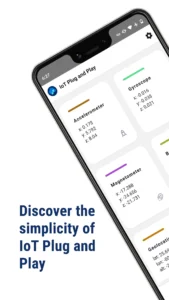
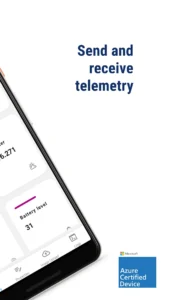
The core purpose of IoT Plug and Play is to enable real-time data transmission between your phone’s hardware and the cloud. You can stream telemetry data directly to your Azure environment, including readings from your device’s accelerometer, gyroscope, and magnetometer. This makes it a practical choice for monitoring sensor data in a remote dashboard.
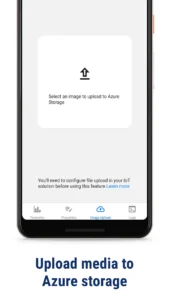
Beyond basic telemetry, the app supports two-way communication. You can receive device twin updates and execute commands sent from your Azure IoT dashboard. For projects that require visual or data storage, the app includes functionality to upload media files directly to Azure storage. This utility is a strong companion if you also manage files using ZArchiver Pro Donate on the same device.
Installation and System Permissions
To start using the app, ensure your device runs Android 6.0 or higher. During installation, you will be prompted to grant several permissions necessary for the app to function. These include location access (fine and coarse), camera and flashlight control, and Bluetooth management for device discovery. The app also requests biometric and fingerprint permissions for secure access, alongside network state and internet access to maintain a stable connection with Microsoft Azure servers. For those interested in alternative system tools, you might also look into Minecraft Java: PojavLauncher for different utility needs.
Quick Facts
Strengths and Limitations
Strengths:
- Direct integration with Azure IoT Hub and Azure IoT Central.
- Real-time telemetry streaming from phone sensors.
- Support for media uploads to Azure storage.
Limitations:
- Requires an active Azure IoT account to function.
- Extensive permission requirements including camera and biometric access.
Frequently Asked Questions
Is IoT Plug and Play free to use?
Yes, the app is free to download and use, though it requires an existing Azure IoT Central or IoT Hub environment to perform its tasks.
Does this app work offline?
No, the primary purpose of IoT Plug and Play is to communicate with the Azure cloud, which requires an active internet connection.
Which Android version do I need?
You must have Android 6.0 or higher installed on your device to run this application.
