


Photomath 8.48.0
Google LLC
November 22, 2026
17.0 MB
8.48.0
Android 5.0
com.microblink.photomath
RELATED APPS






SCREENSHOTS
DESCRIPTION
How the Photomath APK Helps You Solve Problems
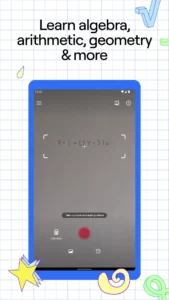
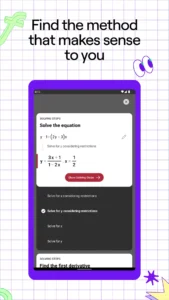
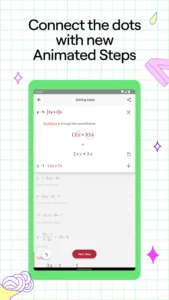
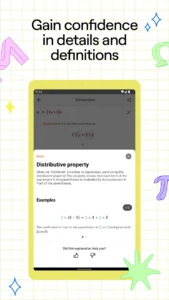
Photomath is a popular educational tool designed to help students learn, practice, and understand mathematics. Developed by Google LLC, this application acts as a personal tutor that fits right in your pocket. By scanning math problems with your device camera, you receive instant, step-by-step explanations that break down complex equations into manageable parts. The Photomath APK gives you the power to tackle assignments anywhere, whether you are at home or at the library. The core strength of the app is its ability to provide detailed guidance rather than just the final answer. Whether you are dealing with basic arithmetic, algebra, or advanced calculus, Photomath ensures you learn the process behind the solution. The app includes animated steps and multiple teacher-approved methods to help you grasp the ‘how’ and ‘why’ of every problem. If you need a reliable browser to research study topics, consider using Google Chrome: Fast & Secure for your web searches.
Key Features for Learners
The app offers a variety of tools to support your educational journey. You can scan handwritten notes, textbook problems, or math displayed on a screen to get immediate help. The software supports a wide range of subjects, including trigonometry, geometry, and sequences. Beyond simple solutions, the app features interactive graphs and an advanced scientific calculator. For those who want extra guidance, the Photomath Plus tier provides custom animated tutorials and detailed textbook solutions. The Photomath APK is built to reduce guesswork, which helps lower your stress levels during difficult study sessions. If you use high-quality camera tools for your projects, you might also be interested in GCam: Google Camera to capture clear images of your homework.
Installation and Permissions
Getting started with the Photomath application is easy. Once installed, the app requires specific permissions to function correctly. The camera access is essential for scanning your math problems, while internet access allows the app to retrieve solutions. Other permissions, such as vibration and wake lock, help the app manage notifications and keep your screen active while you study. The app also uses billing permissions if you choose to upgrade to the premium subscription service. Access to network state and ad services ensures that the application remains connected and updated with the latest improvements. By managing these permissions in your system settings, you maintain control over how the app interacts with your device hardware.
Quick Facts
Strengths and Limitations
Strengths:
- Provides clear, step-by-step explanations for complex problems.
- Supports a vast range of math topics from arithmetic to calculus.
- Includes interactive graphs and an advanced scientific calculator.
- Allows for self-paced learning at any time of day.
- Breaks down problems into bite-sized steps to help you learn.
Limitations:
- Some advanced features require a paid subscription.
- Requires several device permissions to operate fully.
- The app relies on a consistent internet connection.
Who Should Use This App?
Photomath is ideal for students who need extra help understanding math concepts outside of the classroom. It works well for learners who need to study at their own pace or who need help with homework at odd hours. However, it is not a replacement for attending class or engaging with your teachers, as it is meant to serve as a supplementary study aid for your academic growth.
Frequently Asked Questions
Is Photomath free to use?
Yes, the basic version of the app is free and includes step-by-step explanations for many math problems.
Does it work offline?
No, the app requires an internet connection to process and solve the math problems you scan.
What level of math does it cover?
The app covers a broad spectrum of mathematics, ranging from elementary arithmetic and algebra to trigonometry, sequences, and calculus.
