

RELATED APPS


SCREENSHOTS
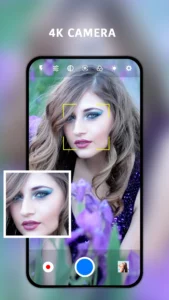
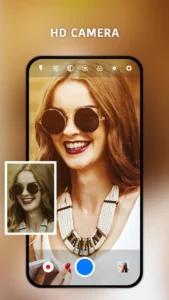
DESCRIPTION
Professional HD Camera APK: Advanced Mobile Photography
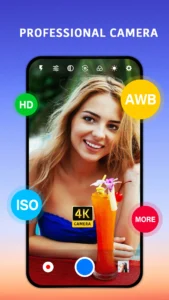
If you are looking for more control over your mobile photography, Professional HD Camera is designed for users who want to move beyond simple point-and-shoot experiences. Developed by HD Camera, this application provides a suite of manual controls that allow you to adjust your settings for better results in various lighting conditions. It is a popular choice for those who want to capture high-quality images without needing expensive gear. When you install the Professional HD Camera APK, you gain access to a toolset that turns your mobile device into a capable photography companion.
Key Photography Features
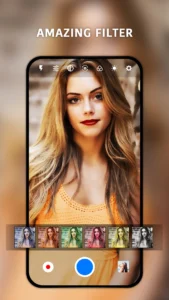
The app offers several professional-grade tools to help you frame your shots effectively. With intelligent face detection, the software identifies subjects quickly, while the dedicated selfie camera performance helps you get better portraits. The real-time filters and color effects let you see the final look before you even press the shutter button. Professional HD Camera also includes stylish HDR capabilities, which significantly improve detail in backlit scenes or low-light environments.
- Intelligent face detection for sharp focus on your subjects.
- Real-time color effects and filters for creative shots.
- Stylish HDR mode to balance light and shadow in difficult scenes.
- Continuous shooting mode for capturing fast-moving objects.
For advanced users, the manual settings are the most important aspect of this tool. You can adjust the manual focusing distance, ISO, and exposure time to get exactly the look you want. The app even supports capturing images in RAW (DNG) format, which is ideal if you plan to edit your photos later. Additionally, you can enable auto-stabilize and configure volume keys to act as a shutter button for easier handling when taking photos. You might also want to check out GCam: Google Camera if you are interested in comparing different processing techniques for your shots.
Getting Started and Permissions
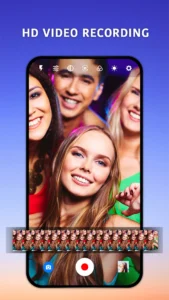
To begin using Professional HD Camera, simply download and install the package on your device. The app requires several permissions to function correctly. It needs access to your camera and microphone to capture photos and videos, and it uses location access to tag images if you enable that feature. Because it is a free app, it requests network state and internet permissions to display advertisements. Other permissions, such as Bluetooth connectivity, are used for device communication, while wake lock ensures the app stays active while you are recording.
While exploring the app, you may also find time to browse through our collection of top android games if you need a break from photography. If you are also looking for ways to edit the media you capture, you can use InShot: Video Editor & Maker to polish your final results. The app is lightweight, with a file size of 6.7 MB, and it runs on Android 4.4 or higher. The Professional HD Camera APK is built to perform reliably across a wide range of devices.
Quick Facts
Strengths and Limitations
- Offers advanced manual controls like ISO and exposure time.
- Supports RAW (DNG) file capture for high-quality editing.
- Real-time filters provide instant visual feedback.
- The app is completely free to use.
- Includes advertisements within the interface.
- Requires several permissions to access hardware and location features.
Who Should Install This App?
Professional HD Camera is an excellent match for photography enthusiasts who feel limited by their stock camera app. Users interested in learning about manual exposure, ISO, and focus will find the necessary tools here. However, if you prefer a simplified experience where the phone handles all settings automatically without any ads, you might want to look elsewhere.
Is the app free to use?
Yes, the app is free to download and use. It does contain advertisements, which is why it requires network-related permissions.
Does it work offline?
Yes, you can use the camera features offline to take photos and videos. You only need an internet connection for the ad-supported features.
Which Android version is required?
You need a device running Android 4.4 or newer to install this application.
