


Reading mode 1.3.1.982174651
Google LLC
November 22, 2026
18.7 MB
1.3.1.982174651
Android 9
com.google.android.accessibility.reader
RELATED APPS






SCREENSHOTS
DESCRIPTION
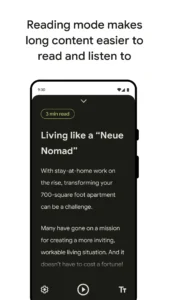
Reading text on a mobile screen can be difficult if you have low vision, blindness, or dyslexia. The Reading mode app, developed by Google Commerce Ltd, is designed to solve this problem by creating a clean, customizable reading environment. It helps you focus on content by removing page clutter and allowing you to adjust visual settings to your specific needs.
How Reading mode Helps You Focus
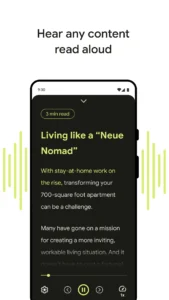
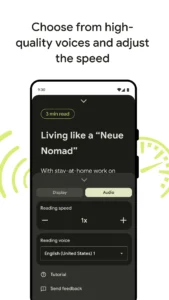
When you use Reading mode, you get a focused reading view that strips away distracting elements from websites and apps. This makes it much easier to consume long-form articles or documents. The app offers robust text-to-speech features, allowing you to hear content read aloud using high-quality voices. You can control the audio playback by rewinding, fast-forwarding, or changing the speed while the text is being read to you.
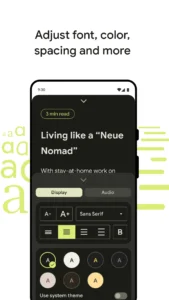
Customization is a core part of the experience. You can change font types, sizes, line spacing, and color contrasts to ensure the text is as readable as possible. If you are looking for other utilities, you might also like ZArchiver Pro Donate for managing your files. Reading mode also supports multiple languages, including English, French, Italian, and Spanish, and is fully compatible with Talkback for those who rely on screen readers. Because the app is designed with privacy in mind, your content is never sent off your phone.
Getting Started with the App
To begin using the app, download and install Reading mode on your device. After opening it, follow the provided tutorial. The app will direct you to your system settings where you must toggle on the Reading mode shortcut. This permission allows the app to function as an accessibility service, enabling it to observe your actions and window content to provide its reading features. For those interested in gaming tools, you can explore Minecraft Java: PojavLauncher for your device.
Strengths and Limitations
- Clear, distraction-free reading interface for better accessibility.
- High-quality text-to-speech with adjustable speed and audio controls.
- Privacy-focused design ensures content stays on your local device.
- Requires Android 9 or later to function.
- Permissions required for accessibility services are extensive.
Frequently Asked Questions
Is Reading mode free to use?
Yes, the app is free to download and use.
Does it work offline?
Yes, because the content is processed directly on your phone and is not sent externally, it operates locally.
Which Android versions are supported?
You need a phone running Android 9 or later to use this app.
APP TRAILER
