


Skype for Business for Android 6.40.0.32
Microsoft Corporation
November 22, 2026
141.9 MB
6.40.0.32
com.microsoft.office.lync15
RELATED APPS






SCREENSHOTS


DESCRIPTION
Manage Professional Communication with Skype for Business for Android APK
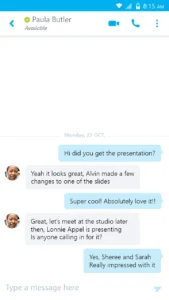
Skype for Business for Android is a professional communication tool developed by Microsoft Corporation. If you are looking for the Skype for Business for Android APK, this application brings voice, video, and messaging capabilities to your mobile device. It is specifically designed for those who already use Lync or Skype for Business servers within their organization. By integrating your work communications into one application, it ensures you can stay connected with your team regardless of your location.
Core Features for Workplace Collaboration
The app provides a suite of tools to help you stay productive while on the move. You can initiate group instant messages or video calls and invite new participants as needed. It allows you to join, rejoin, and start meetings directly from your phone. During these sessions, you can share your video or view the speaker’s video feed to maintain visual connection with your colleagues. Skype for Business also offers meeting controls, such as the ability to mute attendees or remove participants, ensuring you can manage your conference calls effectively.
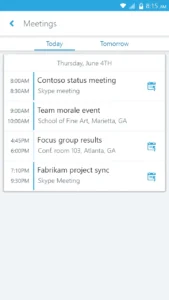
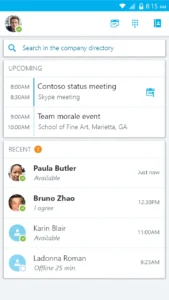
Managing your schedule is simple with the built-in calendar view. You can see your upcoming meetings and join them with a single click. If you need to follow up on previous discussions, the app keeps a history of your recent conversations so you can pick up exactly where you left off. Users can also search for contacts by name, email, or phone number. For those looking for other office management solutions, you might consider Kyte: POS, Online Store & Catalog to handle your business inventory and sales. The app is secured using the Active Directory Authentication Library (ADAL) to protect your corporate communications.
Getting Started and Permissions
To use the Skype for Business for Android APK, you must have a valid account on a Skype for Business or Lync server, or an Office 365 subscription. You will need to sign in with your corporate credentials. The app requests a wide range of permissions to function, including access to your microphone and camera for calls, as well as contacts and storage to manage your professional identity and data. It also uses network and Wi-Fi state permissions to maintain consistent connectivity during meetings. For additional work-related tasks, you can also look into Bing: Chat with AI & GPT-4 for research and search needs.
Technical Requirements and Setup
This software requires connectivity to validly licensed copies of Microsoft Lync or Skype for Business Server, or Office 365. It will not work without an active connection to your company’s infrastructure. Updates to your server may be required for proper performance in some environments. Please ensure your IT department has configured your account correctly to enable mobile access before attempting to sign in for the first time.
Quick Facts
Strengths and Limitations
- Allows instant access to corporate meetings and group chats.
- Includes professional meeting management controls and video sharing.
- Features enhanced security via Active Directory Authentication Library.
- Requires a valid enterprise license or server connection.
- High number of permission requests due to the nature of enterprise call services.
- Functionality might be limited depending on server version and region.
Frequently Asked Questions
Is the app free to use?
The app is free to download, but you must have a validly licensed copy of Microsoft Lync or Skype for Business Server, or an Office 365 account to use it.
Does it work offline?
No, this software requires active connectivity to your company’s server to function properly for calls, messaging, and meetings.
What Android version is required?
The app is available for devices running Android 4.0 or higher.
