Video Player All Format 2.9.3
InShot Inc.
November 27, 2026
44.0 MB
2.9.3
Android 7.0
video.player.videoplayer
RELATED APPS






SCREENSHOTS

DESCRIPTION
Why should you choose Video Player All Format for your Android device?
Are you looking for a reliable way to watch high-definition videos on your phone or tablet? Downloading the Video Player All Format APK by InShot Inc. provides a professional solution for users who need a versatile media playback tool. This app is designed to handle virtually any file type, ensuring you never run into playback or compatibility issues when you open a movie or personal recording.
The application automatically scans your internal storage and SD card to locate all available media files. Once identified, you can organize, manage, or share your library with ease. You can also visit our apk section if you are looking for other useful Android utilities to manage your mobile files. This media player is built to be simple yet powerful for all types of mobile hardware.
Features of Video Player All Format APK
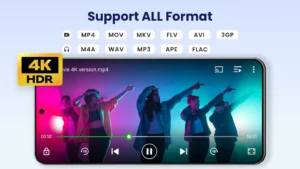
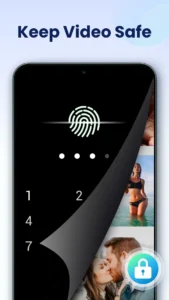
With the Video Player All Format APK installed, you get support for a wide range of video formats including MKV, MP4, M4V, AVI, MOV, 3GP, FLV, WMV, RMVB, and TS. You can enjoy 4K and Ultra HD content with hardware acceleration enabled for smooth performance. If you need to keep your content private, the app includes a secure folder feature where you can set a password to protect your personal videos from being deleted or seen by others.
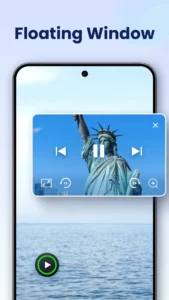
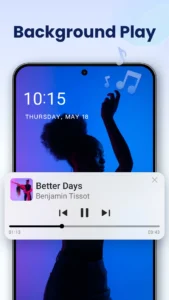
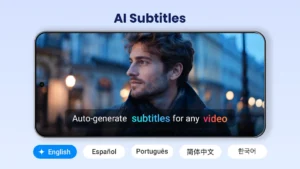
Multitasking is easy with the floating video player, which displays content in a pop-up window while you use other applications. You can also play videos in the background just like listening to audio files or audiobooks. For those who enjoy watching on a larger screen, the app supports casting videos to your Android TV using Chromecast. Recent updates also introduced AI subtitles with improved translation quality and resolved video stuttering issues after seeking.
Getting started and setting up permissions
To set up the player on your device, simply install the app package and launch it. During initial setup, the app requests storage access to read media files and system alert window permission for the pop-up player. It also uses network access permissions for casting content and delivering advertisements.
If you want to edit your clips before watching them, you can check out InShot: Video Editor & Maker for powerful mobile creation tools. For users interested in lightweight options for offline watching, consider reading about YouTube Go: Discontinued. Once configured, you can control volume, brightness, and playback progress simply by sliding across the screen.
App details and system specs
Strengths and key limitations
Strengths:
- Supports 4K and Ultra HD playback with hardware acceleration.
- Includes a private folder protected by a password.
- Features background playback and floating window pop-up options.
- Supports subtitle downloads and AI translation capabilities.
- Enables easy video casting to TV using Chromecast.
Limitations:
- Contains advertisements in the free version.
- Requires external storage and alert window permissions.
- Includes in-app purchases for billing features.
Who should install this video player?
This software is ideal for users who store many video files locally and need a universal media player for Android. It is great for people who want advanced playback controls like speed adjustment from 0.25x to 8.0x, night mode, and gesture controls. If you dislike ad-supported apps, you might find the banner ads distracting. Otherwise, Video Player All Format offers an exceptional feature set for managing your local media.
Is Video Player All Format free to use?
Yes, the app is free to download and use, though it includes advertisements during operation and optional in-app purchases.
Does it work offline?
Yes, the player automatically identifies and plays local video files stored on your Android device or SD card without requiring an internet connection.
Which Android version is required?
You need a device running Android 7.0 or higher to install and run this application.