

RELATED APPS




SCREENSHOTS
DESCRIPTION
Setting Up Your Acrobat Reader: PDF Converter APK
To begin using Acrobat Reader: PDF Converter APK, you simply download and install the file on your Android device. Upon opening the app, you can sign into your Adobe account to sync files across mobile and web platforms. The app requires several permissions to function effectively, including access to your storage for managing documents, camera access for scanning new papers, and network state to connect with online storage services like Google Drive or Dropbox. It also uses biometric permissions to support secure fingerprint authentication for your protected files. This Acrobat Reader: PDF Converter APK is designed to be your central hub for all document-related tasks, providing a professional interface for handling everything from simple reading to complex document edits.
Once you have the app ready, you can organize your digital workspace. You might want to explore the whats download store to find other essential tools for your mobile device. If you need to manage your personal files separately, you can use MediaFire to keep your data backed up securely alongside your document library. The setup process is straightforward, allowing you to link your cloud accounts immediately after the first launch to ensure all your important PDFs are ready for viewing or editing.
Key Features for Document Management
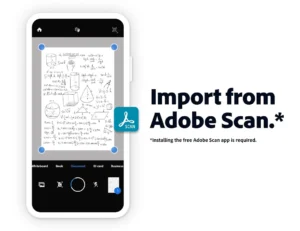
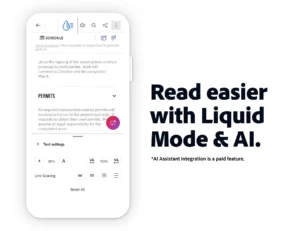
Acrobat Reader: PDF Converter offers a wide range of tools to handle your paperwork. You can use the built-in editor to modify text and images directly within a PDF, or utilize the OCR feature to turn scanned documents into searchable, editable text. For those who need to manage multiple files, the app allows you to merge or split documents and reorder pages as needed. The interface includes Liquid Mode, which automatically adjusts font size and spacing to ensure you get the best reading experience on any screen size. This Acrobat Reader: PDF Converter APK also includes dedicated tools to compress files, which helps save space on your phone while keeping your documents portable.
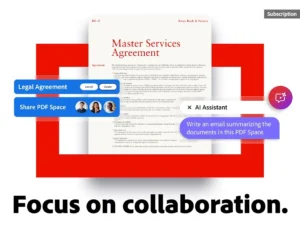
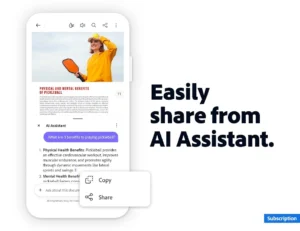
The app also integrates advanced AI capabilities. Through the AI Assistant, you can use voice or text prompts to summarize long documents, ask questions about specific charts or graphs, and generate content for emails or study notes. If you are looking for more conversational AI help, you might also consider trying ChatGPT to assist with drafting text or answering general queries while you work.
Quick Facts
Strengths and Limitations
Strengths:
- Comprehensive tools for viewing, editing, and signing PDFs.
- Advanced AI Assistant for summarizing and querying document content.
- Integration with major cloud storage providers.
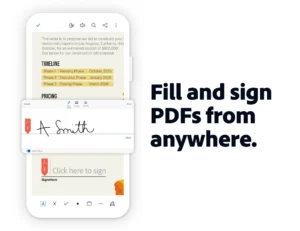
- Free Fill & Sign feature for handling forms and signatures.
Limitations:
- The app contains advertisements.
- Premium features require a paid subscription.
- Large file size may impact devices with limited storage.
Who Should Use This App
This application is ideal for professionals and students who frequently handle digital documents and need a reliable way to edit, sign, and store files on the go. If you require advanced features like AI-powered summaries or the ability to convert files between formats, the subscription options provide significant value. Users who only need basic PDF viewing and simple form signing can utilize the free features without needing to pay.
Is the app free to use?
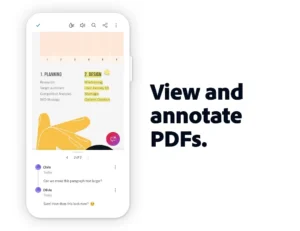
Yes, the app is free to download and includes many core features like viewing, annotating, and the Fill & Sign tool. Advanced editing and AI features are available through a subscription.
Can I use this app offline?
You can view and edit files stored locally on your device without an internet connection. However, cloud storage syncing and certain AI features require an active connection.
Does it work with Google Drive?
Yes, you can link your Google Drive account to the app to open, edit, compress, and export your stored files directly.
APP TRAILER
