

App Lock: Lock App,Fingerprint 2.5.7
Litter Penguin
November 26, 2026
37.5 MB
2.5.7
Android 6.0
tool.app.safe.applocker
RELATED APPS



SCREENSHOTS


DESCRIPTION
Get the App Lock: Lock App,Fingerprint APK for Security
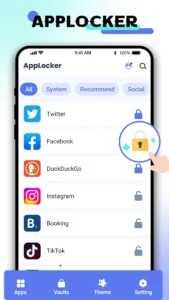
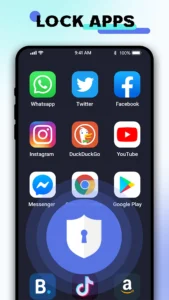
App Lock: Lock App,Fingerprint is a utility developed by Litter Penguin designed to secure your mobile device. If you often worry about unauthorized users accessing your social media or private media, this application provides a barrier. It allows you to lock individual apps, hide photos, and protect your messages using patterns, passwords, or fingerprint authentication. By choosing to download the App Lock: Lock App,Fingerprint APK, you gain immediate control over who sees your personal information.
By using this tool, you can prevent friends or family from snooping through your personal data when they borrow your phone. The app creates a secure environment for your sensitive information, ensuring that only you can access your restricted content. You can explore more tools for your device on our apk download site to enhance your mobile experience.
Key Security Features
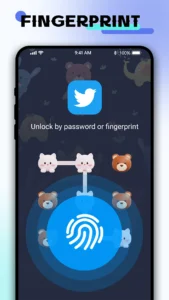
App Lock: Lock App,Fingerprint offers several methods to keep your information private. You can choose from pattern unlocking, standard passwords, or fingerprint recognition if your device hardware supports it. The application also includes an invisible pattern feature, which hides the path you draw on the screen so observers cannot guess your unlock sequence. With over 65 available themes, you can also customize the aesthetic of your lock screen to match your personal style.
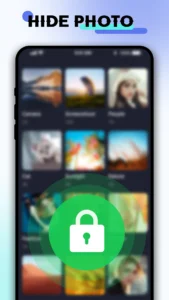
To further improve security, the app features a random keypad. This prevents anyone from guessing your password based on the position of your fingers. If you want to keep specific files hidden, the app allows you to secure pictures and videos directly. It also automatically detects newly installed applications, giving you the option to lock them immediately with a single click. This ensures that even new apps you download do not remain vulnerable to unauthorized access.
Installation and Permissions
Installing the App Lock: Lock App,Fingerprint APK is a simple process. After you install the file, you will need to grant specific permissions to enable its security features. The app requires access to your storage to hide private files and uses accessibility services to improve the speed and performance of the locking system. It also requests permission to display over other apps so it can present the lock screen when a protected program is opened. The app also uses device administrators and notification access to ensure that the protection remains active and effective.
Because this app uses ads to remain free, it requests network and advertising identifiers. It is compatible with devices running Android 6.0 or higher. Always ensure you are downloading the latest version to get the most recent security patches and bug fixes. For other productivity needs, you might also consider trying MediaFire for your file storage requirements or the ChatGPT assistant for daily tasks.
Strengths and Limitations
Strengths:
- Supports fingerprint, pattern, and password locks for flexibility.
- Includes a hidden pattern path feature for added privacy.
- Automatically detects and allows for quick locking of new apps.
- Offers over 65 custom themes to change the appearance of the lock screen.
Limitations:
- The app is supported by advertisements.
- Requires several sensitive permissions, including accessibility and storage access to function correctly.
Frequently Asked Questions
Is App Lock: Lock App,Fingerprint free to use?
Yes, the application is free to download and use, though it includes advertisements within the interface.
Does this app work offline?
Most core security features, such as pattern and fingerprint locking, function without an active internet connection.
Which Android version is required?
You need a device running Android 6.0 or higher to install and run this application.
What should I do if I forget my password?
The app provides a security question feature that allows you to reset your password if you are locked out.
