

AniEraser - Object Remover 1.2.14
November 26, 2026
168.1 MB
1.2.14
Android 7.0
com.watermark.eraser.remover.photo.video
RELATED APPS



SCREENSHOTS
DESCRIPTION
How to Get Started with the AniEraser – Object Remover APK
Installing AniEraser – Object Remover is a simple process for any user running Android 7.0 or higher. You can download the AniEraser – Object Remover APK file directly to your device to begin. Once the installation is complete, the app requires several permissions to function properly. It needs access to your camera, microphone, and media files to process your photos and videos. The app also uses network state and internet access to download its AI models and templates, while billing permissions are included for internal purchase options. By granting these permissions, you ensure the app can effectively perform tasks like reading your media library and saving your edited results.
After launching the app, you do not need extensive training to begin editing. The interface is designed for quick access to tools like object removal and video enhancement. You can find more useful tools for your mobile workflow at the whats download store to manage your files alongside your media projects. Because the app relies on advanced processing, ensure your device has enough storage space to handle the 168.1 MB file size effectively. The app is built to handle media tasks with speed, making it a reliable choice for your daily creative needs.
AI-Powered Editing Features in the AniEraser – Object Remover APK
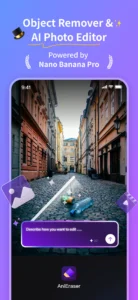
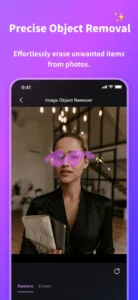
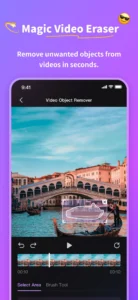
The primary strength of AniEraser – Object Remover is its ability to handle complex edits with simple inputs. You can remove unwanted people, text, or objects from images with a single tap. The video object remover works similarly, allowing you to erase distracting elements without the need for manual frame-by-frame editing. If you want to refine your workflow, you might also consider tools like ChatGPT to help with text-based prompts or creative ideas for your edits. These tools work well together to help you achieve professional results without needing high-level technical skills or expensive desktop software.
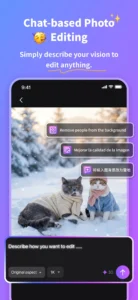
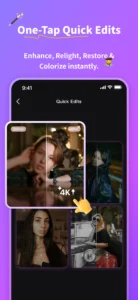
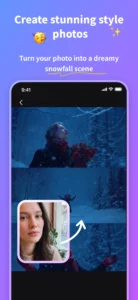
The app also includes an AI Video Enhancer. This feature uses specific algorithms for general upscaling, night view improvement, and face enhancement. If you have old or low-quality media, the restoration tools can fix blur, adjust lighting, and even colorize black-and-white photos. The app allows you to describe desired changes using plain language, which the AI then applies to your images. To keep your edited files organized and backed up, you might find MediaFire helpful for secure cloud storage. With these features, AniEraser – Object Remover provides a comprehensive suite for anyone looking to improve their digital media collection.
Quick Facts
Strengths and Limitations
Strengths:
- Powerful AI-driven object removal for both photos and videos.
- Specialized enhancement models for faces, night scenes, and general upscaling.
- Intuitive interface that requires no complex editing skills.
- Regular updates including new language support and AI algorithms.
Limitations:
- The app includes in-app purchases.
- Requires several permissions, including access to media, camera, and audio.
- The 168.1 MB size may be significant for devices with limited space.
Who Should Install AniEraser?
AniEraser – Object Remover is ideal for social media content creators, e-commerce sellers, and anyone who wants to quickly fix blurry or cluttered photos. It is also a practical choice if you have old family photos that need restoration. If you are looking for a completely offline tool with no in-app purchase prompts, this might not be the best fit for your needs.
Frequently Asked Questions
Is the app free to use?
Yes, AniEraser – Object Remover is free to download, though it does feature in-app purchases for advanced capabilities.
Does it work offline?
The app requires an internet connection for many of its AI-powered features, such as processing edits and downloading templates.
Which Android version is required?
You must have Android 7.0 or higher installed on your device to run this application.
