


WPS Office Lite 26.11.1
WPS SOFTWARE PTE. LTD.
November 24, 2026
270.4 MB
26.11.1
Android 7.0
cn.wps.moffice_i18n
RELATED APPS






SCREENSHOTS
DESCRIPTION
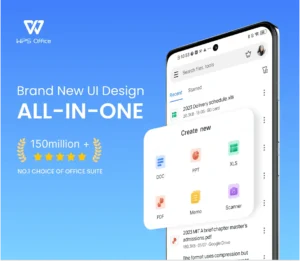
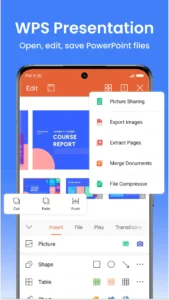
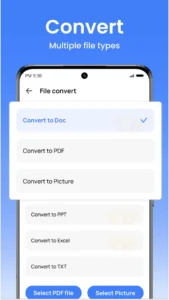
If you want to test the latest office suite tools before they reach the general public, WPS Office Lite serves as a dedicated preview platform. Developed by WPS SOFTWARE PTE. LTD., this application acts as a testing ground for new functionality. It allows you to explore upcoming updates and share your feedback directly with the development team to help shape the final experience.
Understanding WPS Office Lite
This application is distinct from the standard version of the productivity suite. While the primary version focuses on long-term stability and extensive tablet support, this edition is designed for users who prioritize early access. You can preview new features and test changes as they are implemented. If you need a highly stable environment for professional work, the developer suggests using the standard edition instead. You might also consider using MediaFire to manage your document backups alongside your office tools.
The app includes a wide range of permissions to facilitate its functions. It requires access to your storage to open and save files, camera access for document scanning, and network permissions to synchronize your work. Additionally, it requests location and Bluetooth access to support various connectivity features. Because this is a test version, you should expect frequent updates and occasional bugs as the developers refine the software.
Getting Started
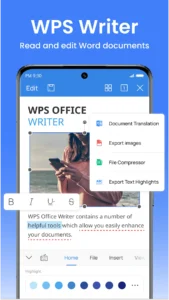
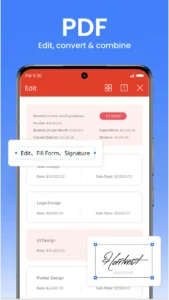
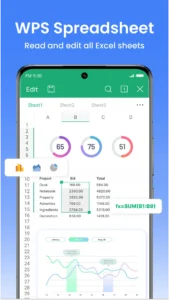
To begin, download and install the WPS Office Lite APK on your Android device running version 7.0 or higher. Upon launching the app, you may be prompted to grant various permissions, including those for external storage and system settings. These allow the app to function as a full document editor. If you prioritize security for your sensitive documents, you could also explore tools like Proton Drive: Cloud Storage for private file management.
Quick Facts
Strengths and Limitations
- Strengths: Early access to experimental tools and direct feedback loop with developers.
- Limitations: May contain bugs, less stable than the final version, and requires significant storage permissions.
Who Should Install This App?
You should install WPS Office Lite if you enjoy exploring new software features and want to contribute to the development process. It is ideal for tech enthusiasts who do not mind potential instability in exchange for a first look at upcoming tools. If you require a rock-solid office suite for daily business tasks, you should stick to the standard, more stable release.
Frequently Asked Questions
Is this app free to use?
Yes, WPS Office Lite is available as a free download.
Does it work offline?
The app allows you to edit local documents without an active internet connection, though some cloud features will require network access.
Which Android version is required?
You must have Android 7.0 or higher installed on your device to use this application.
