


Jetpack – Website Builder 27.8
Automattic, Inc
November 24, 2026
145.2 MB
27.8
com.jetpack.android
RELATED APPS





SCREENSHOTS

DESCRIPTION
How can you manage your website on the go with the Jetpack – Website Builder APK?
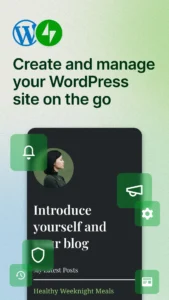
Managing a professional website often feels tied to a desktop computer, but Jetpack – Website Builder aims to change that. Developed by Automattic, Inc, this application brings the full power of WordPress publishing directly to your Android device. Whether you are building a blog from scratch or monitoring traffic for an established site, this tool provides the necessary features to keep your digital presence active without needing a PC. You can take your creative projects anywhere and maintain your online brand with total control.
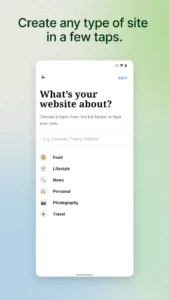
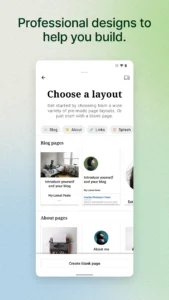
The app serves as a comprehensive dashboard where you can customize your site’s look using various WordPress themes. You can easily adjust colors, fonts, and photos to ensure your site reflects your personal style. For those who need to store assets for their site, you might also find tools like MediaFire useful for managing your files. Jetpack – Website Builder also includes Quick Start tips to help you navigate the setup process, acting as a partner for your creative projects.
Key Features for Site Creators
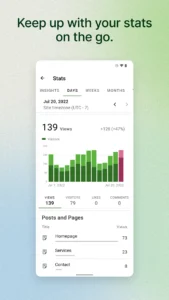
Beyond simple page editing, the app offers analytics to help you understand your audience. You can track daily, weekly, or monthly traffic, view a geographic map of your visitors, and see which specific posts generate the most interest. If you prioritize data privacy for your documents, you could consider using Proton Drive: Cloud Storage alongside your web projects. Jetpack – Website Builder also keeps you engaged with your community by sending real-time notifications for new comments, likes, and followers, allowing you to reply directly from your phone.
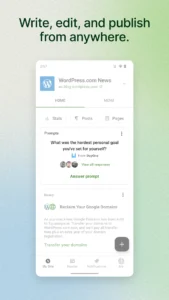
The publishing tools allow you to draft stories, photo essays, or announcements whenever inspiration strikes. You can attach media directly from your camera, use free-to-use pro photography, or schedule posts for later publication. To ensure your site remains safe, the app includes security features that allow you to scan for threats and restore your site if unexpected issues occur.
Getting Started and Permissions
To begin, simply download and install the Jetpack – Website Builder APK. Upon first launch, you will need to sign in to your account to sync your existing WordPress sites. The application requires several permissions to function fully. It requests access to your camera and media files so you can upload images and videos to your posts. It also uses your network state and internet access to retrieve real-time statistics and sync your content. Other permissions, such as vibration and notification access, ensure you stay updated on your site’s activity.
Quick Facts
Strengths and Limitations
- Strengths: Complete mobile editing suite, real-time traffic analytics, and built-in security threat scanning.
- Strengths: Automated social sharing tools and a dedicated reader feed to discover new content.
- Limitations: The app size is 145.2 MB, and it requires numerous system permissions to provide full functionality.
- Limitations: Requires an active internet connection for most features and account sign-in for access.
Who Should Use This App?
This app is ideal for bloggers, small business owners, and content creators who already use WordPress and need to manage their sites while traveling. If you rarely update your site or prefer a desktop-only workflow, you may not need these features. It is a choice for anyone who wants to see site activity and respond to their audience instantly.
Is the app free to use?
Yes, the app is free to download and use for your website management tasks.
Does it work offline?
While you can save ideas as drafts, the app requires an internet connection to publish content, view analytics, and sync changes to your site.
Which Android version is required?
The developer has not specified a minimum Android version for this release.
