


Simplenote 2.40
Automattic, Inc
November 24, 2026
5.2 MB
2.40
Android 6.0
com.automattic.simplenote
RELATED APPS





SCREENSHOTS



DESCRIPTION
Get Organized with Simplenote
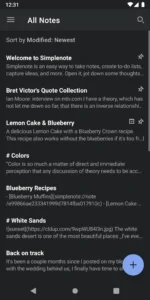
When you have too many ideas and nowhere to put them, tracking your tasks becomes a chore. Simplenote by Automattic, Inc provides a distraction-free space to capture your thoughts, manage to-do lists, and organize your daily work. This app is designed for speed, allowing you to open it and start typing immediately without complex menus. By using Simplenote, you ensure that your notes are always available, whether you are on your phone, tablet, or computer.
The app excels at keeping your information synchronized across all your devices for free. Every change you make is backed up automatically, which means you never have to worry about losing important content. If you need to manage your documents elsewhere, you might also consider MediaFire for your cloud storage needs. Simplenote keeps your workflow simple by focusing on text-based notes that sync instantly.
Key Features for Productivity
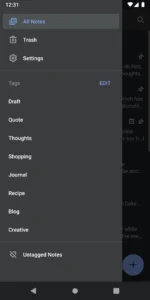
You can stay organized by using custom tags and pinning important notes to the top of your list. The search function is fast and includes keyword highlighting, so you can find specific information in seconds. If you enjoy formatting your text, the app supports markdown, allowing you to add structure to your thoughts easily. For those who prefer private storage, Proton Drive: Cloud Storage is another option for securing your data.
Collaboration is another strong point of this platform. You can share your notes with colleagues or roommates to manage shared tasks like grocery lists. It also offers the ability to publish your content to the web or sync directly with your WordPress.com account. Recent updates allow you to use the system share sheet, making it easier than ever to send your notes to other applications like Gmail or WhatsApp.
Getting Started and Permissions
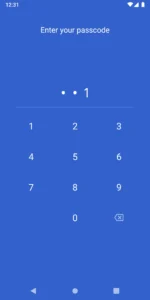
To begin, simply download and install the Simplenote APK on any device running Android 6.0 or higher. You can sign in using your email address or an existing WordPress.com account. The app requests several permissions to function correctly, including access to your network state, Wi-Fi status, and internet access for syncing. It also uses Bluetooth and foreground services for background tasks, as well as wake locks to ensure your notes save properly. Additionally, the app supports fingerprint authentication to help you protect your private notes with a passcode lock.
Strengths and Limitations
Strengths:
- Completely free to use across all devices.
- Fast, real-time synchronization.
- Clean interface with minimal distractions.
- Supports markdown and tag-based organization.
Limitations:
- Requires an account for full synchronization features.
- Limited to text-based note-taking.
Who Should Use This App?
If you need a lightweight, reliable way to keep your notes in sync across multiple platforms, this is an excellent choice. It is perfect for students, writers, and professionals who prioritize speed and simplicity. However, if you are looking for an app that supports heavy media files, images, or complex document editing, you may find this tool too limited for your specific needs.
Is Simplenote free to use?
Yes, the app is free to download and use, and it includes free synchronization across your devices.
Does it work offline?
Yes, you can take notes while offline, and the app will sync your content as soon as you have an active internet connection.
Which Android version do I need?
You need Android 6.0 or higher to run this application.
