


DuckDuckGo Browser, Search, AI 5.304.0
DuckDuckGo
November 24, 2026
75.8 MB
5.304.0
Android 9
com.duckduckgo.mobile.android
RELATED APPS




SCREENSHOTS
DESCRIPTION
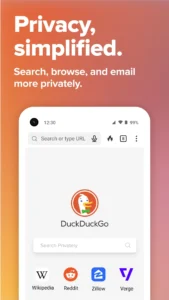
When you browse the internet, hidden trackers often follow your activity across different sites. Many common browsers do not stop this data collection by default. The DuckDuckGo Browser, Search, AI app solves this by providing comprehensive privacy tools in a single download. By installing the DuckDuckGo Browser, Search, AI APK, you get an everyday private browser that offers protection while you search and browse. Developed by DuckDuckGo, this application allows you to search the web without your personal information being harvested by third-party companies. This tool is designed to give you back control over your digital footprint on mobile.
Why Choose the DuckDuckGo Browser, Search, AI APK
The core purpose of this application is to provide privacy protection with the push of a button. When you use DuckDuckGo Browser, Search, AI, you gain access to features like automatic encryption, which forces websites to use HTTPS connections to protect your data from network onlookers and Wi-Fi snoopers. The browser also includes a Fire Button that lets you clear all your open tabs and browsing history instantly if you want to wipe your digital footprint. This is a critical tool for those who want to maintain their anonymity while navigating the web, as it stops companies from creating a unique identifier for you through browser fingerprinting.
Key Features for Enhanced Privacy
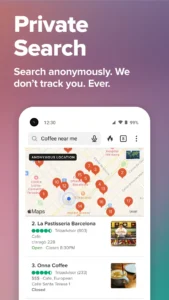
- Private Search: Built-in search functionality that does not track your queries, ensuring your search history remains your own.
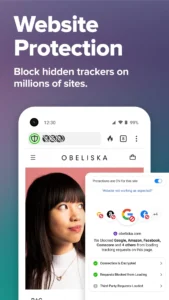
- Tracker Blocking: Automatically stops hidden third-party scripts from loading before they can collect your data, preventing companies from tracking you across different websites.
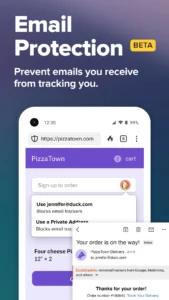
- Email Protection: Blocks trackers in emails sent to your Duck addresses so companies cannot see when or where you open messages, protecting your behavior from analysis.
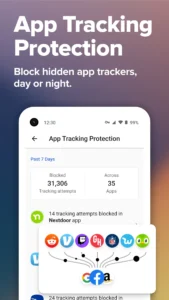
- App Tracking Protection: Uses a local VPN connection to block hidden trackers in other applications on your device, working day or night to stop third-party companies from invading your privacy.
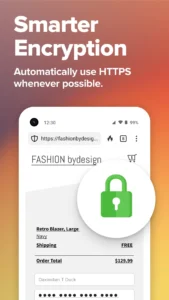
- Encryption Enforcement: Forces websites to use secure HTTPS connections automatically, which helps shield your data from network snoopers and internet service providers.
Beyond standard web navigation, the app provides protection for your other applications. Its App Tracking Protection feature works locally on your device to block hidden trackers in your installed software. If you manage your files securely, you might also find the MediaFire app useful for your productivity needs. The browser also helps block email trackers when you use a Duck address, ensuring that companies cannot see when or where you open your messages. Users who prioritize digital security often combine this browser with other privacy-focused tools like Proton Drive: Cloud Storage to keep their documents safe. Global Privacy Control is also built-in to help you express your opt-out rights automatically by telling websites not to sell or share your personal information.
Getting Started and Permissions
To begin, download the DuckDuckGo Browser, Search, AI APK and follow the system prompts to install. The app requires several permissions to function correctly. It needs network access to fetch websites and search results. Location services are used to provide relevant search results based on your area. Hardware access for the camera and microphone is requested for specific website functions that require these inputs. Biometric and fingerprint permissions are used to secure your browser sessions, allowing you to lock the app for extra safety.
Strengths and Limitations
Strengths:
- Comprehensive tracker blocking that exceeds standard browser protections.
- Easy-to-use Fire Button for instant data clearing.
- Local App Tracking Protection does not require external servers.
Limitations:
- Requires Android 9 or higher for full functionality.
- Some advertiser-specific requests may still load on certain websites after ad clicks.
- The app uses a local VPN service which requires background operation for app tracking protection.
Who Should Use This App
This browser is ideal for privacy-conscious users who want to stop third-party scripts and trackers without changing their daily browsing habits. It is also well-suited for those who want to block trackers in their other installed apps. If you prefer a browser that keeps your search history and web activity private by default, this is a great choice. Users who do not need extra privacy features or who rely on browser sync features not included here might prefer other alternatives.
Is the app free to use?
Yes, DuckDuckGo Browser, Search, AI is free to download and use.
Does it work offline?
The browser requires an internet connection to search the web and load websites, as it is a connectivity-based tool.
Which Android version do I need?
The app requires Android 9 or higher to run on your device.
