

PDF Scanner APP - Scan to PDF 1.2.6
Simple Design Ltd.
November 26, 2026
49.1 MB
1.2.6
Android 8.0
pdf.scanner.scannerapp.free.pdfscanner
RELATED APPS


SCREENSHOTS
DESCRIPTION
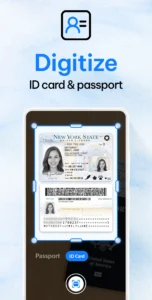
Get started quickly with PDF Scanner APP – Scan to PDF. This app from Simple Design Ltd. turns your Android device into a mobile document scanner. You can scan various documents and convert them into high-quality PDF or JPG files. It offers a way to digitize paperwork on the go.
This apk installer allows you to download the PDF Scanner APP – Scan to PDF APK. It is designed to help you handle documents, receipts, notes, and photos by turning them into digital formats. The app is free to use, supported by ads, and has received a high rating of 4.8/5 from over 500,000 reviews.
Setting Up Your PDF Scanner APP – Scan to PDF APK
To use PDF Scanner APP – Scan to PDF, first download and install the application on your Android device. The installation process is standard for Android apps. Once installed, you can open the app and begin scanning immediately. The app will ask for certain permissions to function correctly.
Here are the primary permissions the app requests:
- Camera: Essential to scan documents and images directly using your device’s camera.
- Read Media Images: Allows the app to access photos to convert them into PDFs.
- Internet / Access Network State: Required for sharing files, cloud backups, and displaying advertisements.
- Post Notifications: Enables notifications for scan completion or reminders.
The app also requires these additional system permissions:
- System and Ad Services: Includes Vibrate, Wake Lock, Foreground Service, Billing, Ad ID, and install referrer tracking.
- Device Specific: Vivo notification badge and internal dynamic receiver permissions.
Key Features for Document Management
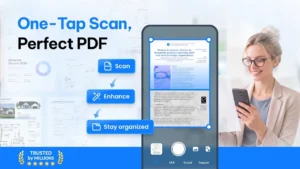
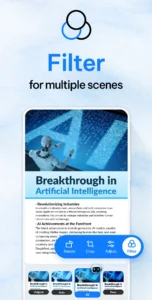
This document scanner app offers several features to help you manage your digital paperwork. You can convert various document types, including receipts, invoices, notes, and business cards, into PDF format with a single tap. The app ensures professional scan quality through precise edge detection, smart cropping, and automatic enhancements. You can also apply multiple filters to improve the document’s appearance.
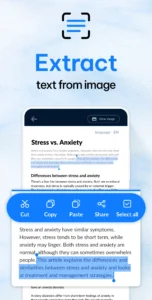
One feature is its integrated Optical Character Recognition (OCR) technology. This allows the app to recognize and extract text from your scanned papers and images. After extraction, you can edit, copy, search, and share this text freely. This functionality is helpful for digitizing notes or contracts.
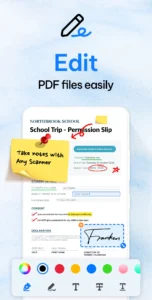
For securing and customizing your documents, the app lets you add electronic signatures. You can sign your PDFs before sending or printing them. Additionally, you can apply security watermarks to protect your files. This helps mark scanned documents with customized watermarks at any time.
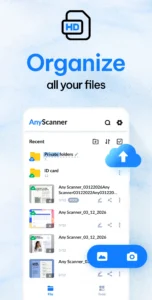
The app also provides file management tools. You can create subfolders to organize documents. Search, sorting, and note-taking features make it easy to find what you need quickly. The OCR search feature can even locate text within scanned documents in seconds. You can also back up and sync your scanned documents to cloud services like Google Drive, Dropbox, Evernote, and OneDrive. This means you can access your files across different devices, similar to how you manage files with MediaFire cloud storage.
Quick Facts
Strengths and Considerations
The main strength of this application is its comprehensive set of features available for free. You get professional scan quality, OCR text extraction, e-signatures, watermarks, and cloud synchronization without a direct purchase. The high user rating of 4.8/5 from over 10 million installs also indicates user satisfaction.
However, there are some considerations. The app includes advertisements, which might interrupt your workflow. It also requests a significant number of permissions, especially those related to advertising services. The file size of 49.1 MB is moderate. For those looking for an AI assistant, you might consider alternatives like ChatGPT, which focuses on different productivity tasks.
Who Should Install and Who Should Skip
You should install PDF Scanner APP – Scan to PDF if you need a free, feature-rich mobile scanner. It is ideal for students, professionals, or anyone who regularly needs to digitize documents, extract text, or add electronic signatures. Its cloud sync capabilities are also beneficial for cross-device access to your files.
You might want to skip this app if you strongly prefer an ad-free experience or are concerned about apps requesting many advertising-related permissions. If your device has limited storage or runs an Android version older than 8.0, this app might not be suitable for you.
Frequently Asked Questions
Is PDF Scanner APP – Scan to PDF free to use?
Yes, the app is free to download and use. It includes advertisements to support its development.
What is the latest version of the PDF Scanner APP – Scan to PDF APK?
The latest version available is 1.2.6, which was last updated on Sep 3, 2026.
Can I extract text from documents using this app?
Yes, the app includes Optical Character Recognition (OCR) technology. This allows you to recognize and extract text from scanned papers and images.
Which Android version does the PDF Scanner APP – Scan to PDF require?
The app requires Android 8.0 (Oreo) or a newer version to function correctly.
