

SnapShot: Photo Editor Collage 1.0.11
November 22, 2026
41.5 MB
1.0.11
Android 9
com.hitrolab.ai.snapshot.photoeditor
RELATED APPS






SCREENSHOTS
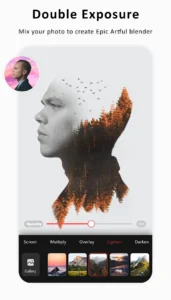
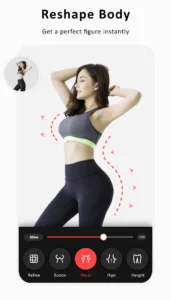
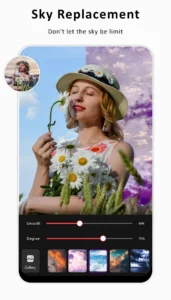
DESCRIPTION
SnapShot: Photo Editor Collage APK
Editing photos on a mobile device often feels slow or overly complicated. You might struggle to align images for a collage or find that basic cropping tools are not precise enough for your needs. SnapShot: Photo Editor Collage aims to solve these common frustrations by providing a suite of AI-powered editing tools in one package. Developed by Google Commerce Ltd, this application helps you transform your images into professional-looking graphics with minimal effort. Whether you are a professional photographer or a social media user, this app provides the precision needed for high-quality results. The interface is optimized for speed, offering significant performance improvements over older versions.
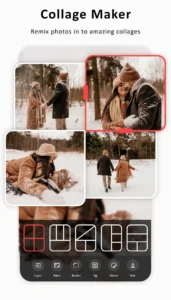
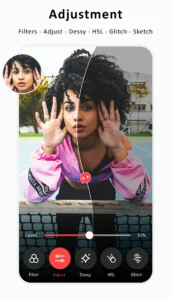
The app includes a dedicated photo collage generator that offers various layouts, templates, and grids to organize your images. If you have many photos to process, the batch editing feature allows you to apply filters and adjustments to multiple files at once. This functionality makes SnapShot: Photo Editor Collage a practical choice for social media creators who need to prepare content quickly. You can also explore InShot: Video Editor & Maker if you require additional tools for video projects.
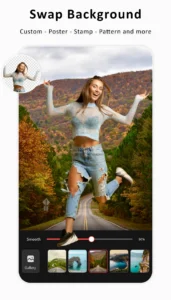
Beyond layout creation, the app provides standard editing functions like crop, resize, rotate, and flip. The AI-powered retouching tools allow you to smooth skin, whiten teeth, and fix facial features for a natural finish. You can even change the background of your pictures or use the text and sticker editor to add captions and creative elements to your work. The image crop tool is particularly useful for preparing content for specific social media platforms, ensuring your subject is always the focus. Consider looking at GCam: Google Camera to improve your raw capture quality before applying these creative filters.
To get started, simply download and install the SnapShot: Photo Editor Collage APK. The app requires several permissions to function, including access to network state and internet for cloud-based features, as well as memory access to read and save your image files. It also uses billing permissions if you choose to purchase additional items through the store. The background removal tool uses advanced AI to isolate subjects, which is great for creating unique compositions or personalized photo gifts for your friends and family. The app is designed to be user-friendly, helping you master the art of collage making even if you are new to mobile photo editing.
The latest version brings several enhancements to your mobile workflow. Beyond the speed improvements, you will find better glitch effects and more accurate AI background detection. These updates ensure that when you create a photo album or a side-by-side comparison, the result looks crisp and professional. The app allows you to layer images, add stickers, and customize borders to create a truly personalized look for every project you undertake.
Quick Facts
Strengths and Limitations
Strengths:
- Efficient batch editing for large groups of photos saves significant time.
- AI-powered retouching produces natural-looking portrait results with precision.
- Wide variety of templates, grids, and layouts for creative collage creation.
- Improved speed and performance compared to previous versions.
- Advanced background removal and glitch effect tools.
Limitations:
- The app is supported by advertisements.
- Includes in-app purchase options for specific features.
- Requires several permissions, including ad services tracking and network access.
Is SnapShot: Photo Editor Collage free to use?
Yes, the app is free to download and use, though it includes ads and potential in-app purchases for additional content.
Can I use this app to edit multiple photos at once?
Yes, the app features a batch editing tool that allows you to apply filters, effects, or adjustments to a group of images simultaneously, making it ideal for large quantities of photos.
Does this app work offline?
While some core editing features work offline, the app requires internet access for certain services, as indicated by the network state and internet permissions.
What does the AI retouching feature do?
The AI-powered tools help you achieve flawless results by smoothing skin, removing scratches, whitening teeth, and improving facial features with precision.
APP TRAILER
