

RELATED APPS



SCREENSHOTS
DESCRIPTION
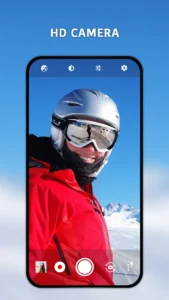
HD Camera is designed for users who want to take control of their smartphone photography. Developed by HD Camera, this application provides a suite of professional-grade tools to help you capture better photos and videos. If you are looking for a reliable way to improve your image quality, the HD Camera app offers features that go beyond standard camera software. Download the HD Camera APK to gain access to advanced manual controls directly on your smartphone. It is a highly accessible tool that has reached over 100 million installs, proving its popularity among mobile photographers worldwide.
Capture Professional Images with HD Camera APK
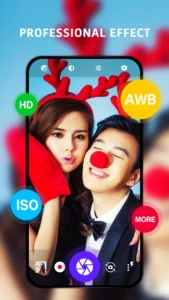
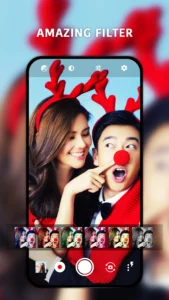
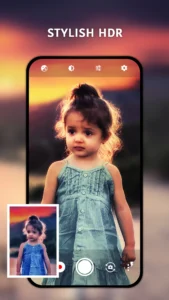
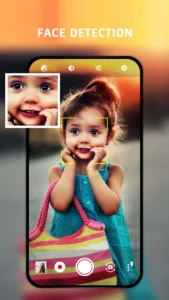
This application focuses on providing manual control to help you get the best shot possible. With features like ISO adjustments, white balance, and exposure compensation, you can manually override settings to suit different lighting conditions. The app also includes a stylish HDR mode, which is particularly useful for improving images captured in low-light or backlit scenes. You can see how these adjustments affect your photo before you press the shutter button by using the real-time filter preview. This provides a clear way to visualize your final image before you commit to the shot. The software is based on Open Camera code, ensuring that you are using a well-tested framework for your creative projects.
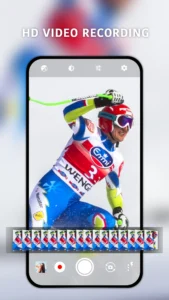
For those who need to capture action, the app supports continuous shooting and a quick snap function. The auto-stabilize feature helps ensure your photos remain level, reducing the chance of blurry images. If you are interested in exploring other photography tools, GCam: Google Camera offers advanced processing capabilities. You can find more mobile tools if you browse for a new apk to enhance your device’s functionality. The HD Camera APK remains a popular choice for those who appreciate fine-tuning their visual output through dedicated focus modes and torch settings.
Getting started with the app involves a standard installation process. Once you install the file, you must grant specific permissions for the software to function. It requires access to your camera to take photos and to your microphone to record audio during video capture. It also requests location access, which is typically used for geotagging your images. Because this is a free app supported by advertising, it also uses network and ad-related permissions to manage these services. The HD Camera APK ensures that you have all the necessary tools ready at your fingertips, including support for Bluetooth connectivity for external peripherals.
Strengths and Limitations
Strengths:
- Provides manual control over ISO, white balance, and focus modes.
- Includes real-time filter previews for both photos and videos.
- Features an HDR mode for challenging lighting situations.
- Lightweight installation size of only 6.4 MB.
- Supports continuous shooting and auto-stabilization for better photo quality.
- Version 1.4.14 brings important SDK upgrades and bug fixes.
Limitations:
- The app displays advertisements to maintain its free status.
- Requires several permissions, including location and network access for ad services.
- Dependent on the core functionality provided by the original open-source base.
HD Camera is a good fit for users who want manual control over their camera settings without paying for premium software. It is also a solid choice for those with older devices, as it requires only Android 4.4 or higher. If you prefer a minimalist interface or want to avoid ads, you may want to consider your options. For users who enjoy editing their photos after they are taken, InShot: Video Editor & Maker serves as a useful companion for further creative work.
Is HD Camera free to use?
Yes, the app is free to download and use. It is supported by ads to keep the service available at no cost.
Does it work offline?
Yes, you can use the core camera features without an internet connection, though some ad-related services require network access to load content.
Which Android version is required?
This app requires Android 4.4 or higher to function properly on your device. It is designed to be efficient, keeping its file size at a compact 6.4 MB.
