


ImageLite Compress Resize Crop 0.4_BETA
November 20, 2026
26.6 MB
0.4_BETA
com.hitrolab.imagelite.photo_convert_compress_resize
RELATED APPS






SCREENSHOTS
DESCRIPTION
Efficient Photo Management with ImageLite Compress Resize Crop APK
ImageLite Compress Resize Crop is a lightweight utility designed to help you manage your image files with ease. Whether you need to save storage space on your device or prepare pictures for quick sharing, this application provides essential tools for modification. Developed by Google Commerce Ltd, it focuses on performance and simplicity, allowing you to process your media files without unnecessary complexity. The app is specifically built to handle heavy photo tasks while remaining accessible for everyday users who need to perform quick edits on the go.
This ImageLite Compress Resize Crop APK serves as a reliable photo editor that functions entirely offline. By removing the requirement for an active internet connection for basic tasks, it ensures your privacy and keeps your data local. If you need a more advanced camera experience, you might also consider GCam: Google Camera to capture high-quality images before processing them with this utility. The app is designed to be a quick solution, ensuring that you do not have to navigate through complex menus or settings to reach your desired result.
Core Features for Image Editing
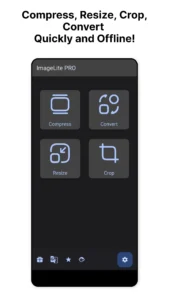
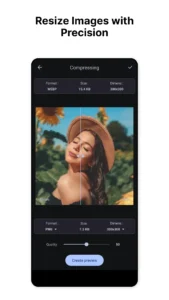
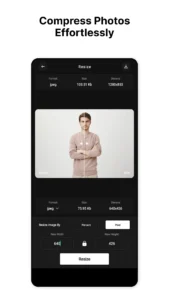
The application offers four primary functions to help you manipulate your images. You can reduce file sizes by selecting high, medium, or low compression quality, which is ideal for saving storage or preparing photos for web uploads. You can see the result of your compression instantly, allowing you to choose the best balance between quality and file size. Resizing is equally simple, allowing you to adjust images by percentage or specific pixel dimensions while maintaining the aspect ratio or adjusting freely.
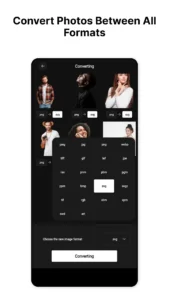
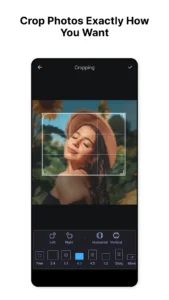
For those who need to adjust image composition, the cropping tool supports freeform selection and standard aspect ratios like 1:1, 4:3, and 16:9. Additionally, the app acts as a versatile format converter, enabling you to change your files into JPG, PNG, or WEBP formats. If you are looking for tools to edit your video content alongside your photos, you can check out InShot: Video Editor & Maker to expand your mobile editing capabilities. These features combined make the app a useful companion for anyone who manages images for blogs, social media, or email attachments.
Getting Started and Permissions
To begin using ImageLite Compress Resize Crop, simply download and install the APK. The app does not require a login or an account, allowing for immediate use upon opening. Note that the app requests several permissions, including access to network state and ad services to support the free model. It also uses foreground services and wake locks to ensure that your image processing tasks complete without interruption. These permissions are necessary to facilitate the smooth operation of the application’s background processing and to maintain the free-to-use business model.
Quick Facts
Strengths and Limitations
Strengths:
- Fully offline processing keeps your photos private and secure.
- Small app size that does not clutter your device storage.
- No account registration or login required to start editing.
- Simple interface for quick batch or individual image edits.
- Fast processing times for compression and conversion.
Limitations:
- The app is supported by ads to keep it free.
- Requires several specific permissions for ad services and background operation.
Frequently Asked Questions
Is ImageLite Compress Resize Crop free to use?
Yes, the app is free to download and use, though it is supported by advertisements.
Can I use this app without an internet connection?
Yes, all core features including compression, resizing, and conversion work fully offline.
What file formats are supported?
You can input JPG, JPEG, PNG, BMP, and WEBP files, and export them as JPG, PNG, WEBP, or BMP.
Does this app require a login?
No, there is no login or account registration required to access any of the features.
