


WooCommerce: Store & POS 26.0
Automattic, Inc
November 24, 2026
103.3 MB
26.0
com.woocommerce.android
RELATED APPS






SCREENSHOTS

DESCRIPTION
Control Your Store from Anywhere
Running a business requires constant attention, even when you are away from your main computer. The WooCommerce: Store & POS app helps you manage your online store and point-of-sale operations directly from your Android device. This application from WooCommerce allows business owners to handle essential tasks on the go.
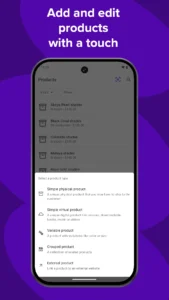
The WooCommerce: Store & POS APK is designed for business owners who need flexibility. You can add new products to your catalog, edit existing ones, and publish them with simple taps. This means you can turn new product ideas into reality quickly, saving them as drafts or making them live immediately.
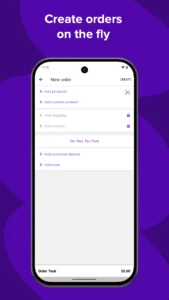
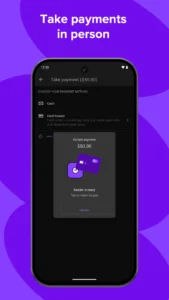
Managing orders is also straightforward. You can create new orders by selecting items from your inventory, adding shipping details, and entering customer information. These new orders sync automatically with your main store’s inventory. The app also allows you to take payments in person, extending your sales capabilities beyond your online storefront. You can also compare this functionality with what Kyte APK offers for point-of-sale features.
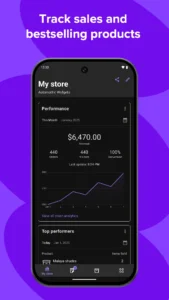
Real-time data keeps you informed about your business performance. You can monitor new sales as they happen and review key statistics. This helps you make informed decisions quickly, understanding how your store is performing at any moment.
Setting Up WooCommerce: Store & POS
To use the WooCommerce: Store & POS app, you first need an existing WooCommerce store. Once you download and install the app, you will connect it to your store. The setup process is designed to be quick, letting you start managing your products and orders in seconds. The app integrates with your existing setup, allowing a smooth transition to mobile management.
Quick Facts for WooCommerce: Store & POS
| Detail | Information |
|---|---|
| Developer | WooCommerce |
| Category | Business |
Benefits and Considerations
The WooCommerce: Store & POS app offers several advantages for business owners.
- It allows full management of products and orders from a mobile device.
- You can accept in-person payments, expanding sales channels.
- Real-time sales and statistics help you stay updated on your business performance.
However, there are also some points to consider:
- An existing WooCommerce store is required to use the app.
- Full functionality depends on an internet connection for syncing data.
- While the app is free, some advanced WooCommerce extensions or services may require payment through the main platform.
For tracking daily financial movements, you might find Cash Book- daily expenses APK a useful companion.
Who Should Install This App?
This app is ideal for current WooCommerce store owners who need to manage their business while away from their desktop computer. It suits entrepreneurs, small business owners, and store managers who want the flexibility to add products, process orders, and check sales figures on their Android phone or tablet. If you manage an e-commerce store built on WooCommerce, this app provides essential mobile tools.
Who Should Skip This App?
If you do not have an existing WooCommerce store, this app will not be useful for you. It is not a standalone e-commerce platform or a general business management tool for non-WooCommerce stores. Users looking for a simple personal finance tracker or a POS system without e-commerce integration might need different solutions.
Frequently Asked Questions
Is WooCommerce: Store & POS free to download?
Yes, the WooCommerce: Store & POS APK is free to download and install. It allows you to manage your existing WooCommerce store without extra cost for the app itself.
Does this app work offline?
The app requires an internet connection to sync with your WooCommerce store, process payments, and update real-time statistics. You might be able to view some cached data offline, but full functionality needs network access.
What kind of businesses can use this app?
Any business that uses the WooCommerce platform for its online store can benefit from this app. It is suitable for retailers, service providers, and anyone selling products or services through a WooCommerce-powered website.
